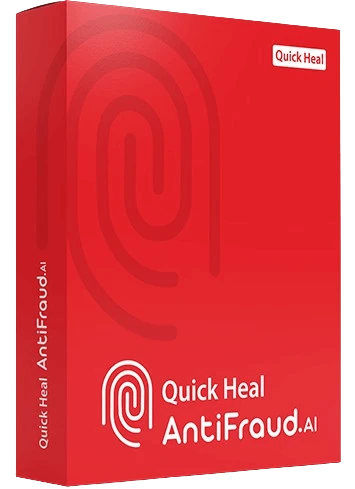
Reliable security created to protect your Mac against zero-day threats, malicious software, spam and other online threats. Automatic updates secure your Mac from latest threats without slowing it down.
Fast and highly responsive virus protection.
Browsing Protection and Phishing Protection to keep malicious websites at bay.
Smooth email protection monitors email traffic for malware
Scan My Mac allows you to choose between a full system or a customized virus scan
Macbook Tracking facility.
Help me to choose
1. Device
2. Usage
3. Recommendation
Select the operating system you want to proceed with
Windows
MAC
Android
Quick Heal offers complete protection for all your devices
Recommendation
Select your usage preferences from the options below
Safety for Kids
Safe Browsing/ Safe Search
Entertainment
Gaming Protection
Fraud Alert
Downloads and external drive protection
Office Use
Fraud Prevention
Bank, Browse and Play securely with Quick Heal Cybersecurity Solutions
Back
Looking for the right cybersecurity solution?
Get in touch with our experts who can help you choose the right product for all your devices based on your requirement.
Stay safe from infected, fake and bogus websites. Shop and bank online without worrying about hackers and malware. Stay away from data-stealing programs such as keyloggers and spyware. Manage and control your childrens Internet and computer usage.
Wait, you're one step away from getting an exclusive 10% OFF!
FLASH10 Use
this discount code at the time of checkout.
For kids usage: This product
offers parental control, browsing protection and blocks hackers
and unauthorized access to ensure the online safety of kids.
For office work: This product
blocks unauthorized spying and protects your network and the
router. Users can also configure the protection rules for all
incoming emails. This product blocks infected attachments
(malware, spam and viruses) in emails to help users work
seamlessly.
For day to day usage: This
product protects personal & banking data online, and secures
your daily browsing activity against online threats and viruses.
Fraud Alert: This feature keeps
you protected from fraudulent activities with timely alerts that
notify you of any suspicious transactions or potential security
breaches.
Entertainment: This product
helps and boosts your device to ensure a faster and smoother
experience while you watch films, listen to songs and much more.
Online Gaming: This product
boosts your game and improves system performance for a smoother
and uninterrupted gaming experience.
Downloads and External Drives:
This product allows you to set protection rules for external
devices such as CDs, DVDs, and USB-based drives.
Fraud Prevention: This feature
protects your online transactions, and alerts you on fraud calls
and messages, thus securing you from vulnerable scams.
I can Renew my Quick Heal License promptly, even after office hours. Surprised at the eagerness
to help customers with full patience. I appreciate the team's support and professionalism, which
has doubled my trust in Quick Heal Products.
Avinash Adaskar
I had lost all hope after a ransomware attack. Not only did they help me recover my extremely
important data that got corrupted, but they did it within a short span of time too! Thanks for
all the support and assistance in every step.
Kishorekumar Mundra

Our Legacy
9M+
Customers Who Believe In Us
30+
Years of Legacy Innovation

70+
Countries Covered Globally

9
Patents for Cybersecurity

#1
India's Largest Malware Lab

Awards & Recognitions
AVLab, Poland
9 International Patents
A Part of US AI Consortium
Frequently Asked Questions
What is Antivirus?
Antivirus software is a program designed to detect, prevent, and remove malicious software (malware) from computers and other devices.
Antivirus software is crucial for maintaining the security and integrity of your computer and personal data by defending against various types of cyber threats.
How does Antivirus work?
Antivirus software uses a combination of techniques to detect, prevent, and remove malware from your device. Here’s a simplified overview of how it works:
Scanning: Scans and identifies malware by comparing files against a database of known signatures and analyzing their behavior.
Prevention: Actively scans files during opening, downloading, or execution to block malware.
Quarantine and Removal: Moves detected malware to quarantine for review and attempts to clean or delete infected files.
Updates: Regularly updates its virus definitions to stay current with new threats.
These functions work together to keep your data and device secure.
Why do I need a paid Antivirus when Windows Defender is built into my operating system?
While Windows Defender is a built-in antivirus solution that provides basic protection, there are several key reasons why would want to consider investing in a paid antivirus for enhanced security. Quick Heal offers advanced threat protection against more sophisticated dangers like ransomware, zero-day attacks apart from common viruses, malware, and basic threats.
Which Quick Heal Antivirus is best for my Windows PC?
All Quick Heal products are known for their reliability and comprehensive protection. However, Quick Heal Total Security stands out with its premium features and advanced safeguards, offering you unmatched peace of mind while navigating online.
Can Quick Heal Antivirus remove existing malware from my laptop?
Yes, Quick Heal is designed to detect, remove, and protect against existing malware on your device. It helps ensure that any existing malware is addressed, and your system is returned to a secure state.
How does Quick Heal protect against ransomware?
Quick heal protects your computer with the following means-
Heuristic Analysis: Detects unknown ransomware by analyzing suspicious behaviors, such as rapid file encryption.
Real-Time Monitoring: Blocks ransomware in real-time by monitoring system activities and preventing malicious file changes.
Cloud-Based Threat Intelligence: Uses cloud data to quickly detect and block emerging ransomware variants.
Backup Protection: Safeguards backup files from being encrypted or modified by ransomware.
Exploit Protection: Blocks attacks that exploit system vulnerabilities, preventing ransomware from entering the system.
Ransomware-Specific Features: Includes specialized ransomware detection, behavior blocking, and file recovery options.
Email and Web Protection: Filters out malicious email attachments and blocks harmful websites that may deliver ransomware.
Rollback/Recovery Features: Restores files to pre-attack states if ransomware encrypts them, using backups or system snapshots.
User Behavior Analytics: Detects unusual file activity (e.g., mass encryption) by analyzing user patterns.
How do I activate my Quick Heal product after purchase?
You can activate the Quick Hel products with the help of activation instructions provided with the product. The installation process is mentioned here - https://www.quickheal.co.in/installer
Post installation completion, you need to choose your subscription plan as below:
I have a product key: Click this option if you have already purchased a license and have the product key.
Continue to Free Trial: Click this option if want to continue with Free Trial. Enter your registration information & click Activate to complete the activation of your trial license.
What is AI Antivirus software, and how does it improve my cybersecurity?
Antivirus AI Software uses artificial intelligence and machine learning to detect and block threats in real time. Unlike traditional antivirus programs, which rely on pre-defined signature databases, AI-powered antivirus software continuously learns from new data to identify emerging threats and adapt to evolving cyberattacks. Quick Heal is powered with GoDeep.AI, an AI enabled deep predictive malware hunting technology which tracks the behavior of every threat. This advanced technology helps minimize false positives and reduces the impact on system performance, offering smarter, more efficient protection.
What is the Ideal Price for Antivirus Software for Laptops in India?
When determining the ideal price for antivirus software for your laptop in India, it’s important to consider more than just the subscription cost. The value of antivirus software should also be evaluated based on the overall performance, credibility, and legacy of the brand.
Many budget antivirus solutions are available in the market, often offering basic protection, provide limited customer support and may not update as frequently, leaving your system vulnerable to new malware and other digital risks.
On the other hand, Quick Heal, which has nearly 30 years of cybersecurity experience, offer more robust protection. As India’s No. 1 Antivirus, Quick Heal provides cutting-edge security and timely updates to keep up with emerging threats. It also offers better customer support, ensuring that you have expert assistance whenever needed.
Our website uses cookies. Cookies enable us to provide the best experience possible and help us understand how visitors use our website. By browsing this website, you agree to our cookie policy.
Please complete your information below to login.