India’s love for e-commerce has exploded, and so have online shopping scams. Fraudsters set up fake stores, push too-good-to-be-true deals on social media, and trick buyers into unsafe payments.
The good news is that a few simple checks can help you spot trouble early and shop safely. This guide explains the major scam types, the warning signs to watch for, and clear steps to protect your money and devices.
What are Online Shopping Scams?
Online shopping scams are tricks that make you pay for something you never receive, or push you into sharing card, UPI, wallet, or personal details that get misused. A common example is a fake website that copies a popular brand’s look and lists deep discounts.
You place an order, the money is taken, and the item never comes. Another example is a seller who insists on paying through an unsafe link sent on chat apps. Once you pay, the seller disappears.
Common Types of Online Shopping Scams
Here are the most common types of online shopping scams:
1. Fake E-commerce Websites
Fraudsters clone the design of known brands or create new stores with flashy banners and heavy discounts. The site often uses a strange domain, weak product pages, and poor grammar. Prices look unreal, and there is no working customer support line.
2. Social Media Shopping Scams
Scam ads and pages appear on Instagram, Facebook, and short-video apps. They show viral products at throwaway rates and ask you to order over DM or through a link in bio. After payment, you may get a knock-off or nothing at all.
3. Counterfeit or Duplicate Product Listings
These listings use stock images and claim “original” or “imported” quality at very low prices. Many victims receive cheap duplicates, expired cosmetics, or unsafe electronics. The listing then vanishes or blocks the buyer.
4. Non-Delivery and Payment Scams
Sellers promise “fast shipping” but insist on full advance payment. They push you to pay via direct bank transfer, an unknown wallet, or QR from a personal ID. After payment, tracking never updates, and the seller stops responding.
Warning Signs of Online Shopping Scams
Here are the main warning signs you should keep an eye on:
1. Deals That Are Too Good to Be True
If a premium product is available at a 70 to 90 percent discount with free same-day delivery, be cautious. Real brands offer festival deals, not constant throwaway pricing. Unreal bargains are a classic hook in buying online scams.
2. Suspicious Website URLs and Poor Design
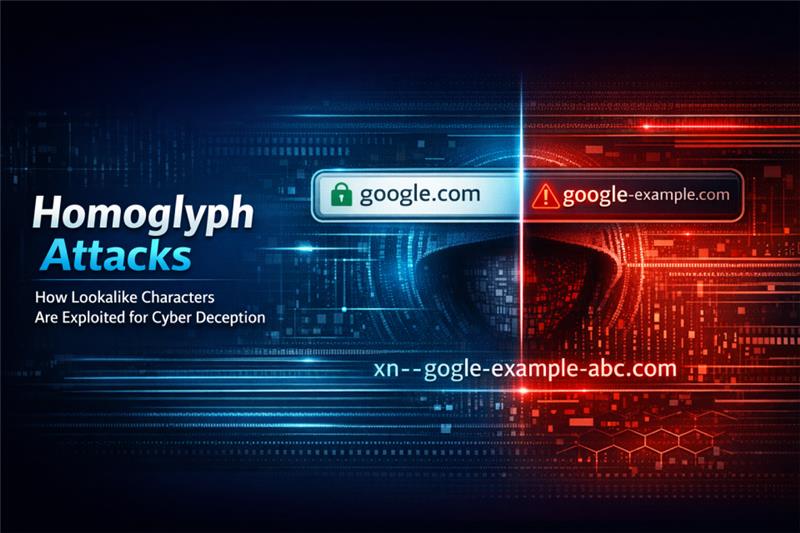
Look at the URL carefully. Random letters, extra hyphens, and wrong spellings of brand names are red flags. Low-quality images, broken pages, and copied policy text also signal fraudulent online stores.
3. Limited or Unsafe Payment Options
If the store offers only bank transfer or asks you to scan a QR shared on chat, step back. Legit stores provide secure payments like cards, UPI through trusted gateways, or cash on delivery for eligible orders.
4. No Return, Refund, or Contact Information
A trustworthy store shows a clear return policy, refund timelines, and at least one working phone number or email. If you cannot find a physical address, GSTIN, or proper invoices, it is safer to avoid the purchase.
How to Avoid Online Shopping Scams
Here is how you can avoid online shopping scams:
Use Trusted Platforms and Secure Payments
Prefer reputed marketplaces or official brand sites. On payment, use cards or UPI inside secure gateways, not external links. If you worry about non-delivery, consider cash on delivery where available. Keep proof of order, invoice, and chats.
Avoid Sharing Sensitive Information
No genuine store needs your full card PIN, CVV on chat, UPI OTP, or wallet login. Never share KYC scans unless you are on the brand’s official portal. If a seller asks to “verify” payment by reading out an OTP, stop immediately.
Be Cautious of Urgent or Pressure-Based Offers
Scammers use urgency to make you act fast. Phrases like “only 1 left”, “offer ends in 5 minutes”, or “pay now or order will be cancelled” are common in online purchase scams. Take a minute, recheck the seller, and compare prices elsewhere.
Check Reviews and Ratings
Look beyond star ratings. Read critical reviews, and sort by “Newest” to see recent buyer issues like non-delivery or duplicates. Search the store name with words like “scam”, “fraud”, “complaint”, or “review”. If reviews look copy-pasted, be careful.
Look for Secure Website Indicators
Make sure the address bar starts with https and shows a lock symbol. This shows encryption for data in transit. It does not prove the seller is honest, but its absence is a red flag. Avoid payment on sites that trigger security warnings.
Verify Seller Details and Contact Information
Check if the business lists a registered address, a working support number, a reply-ready email, and clear return timelines. For independent sellers, ask for live product photos, GST invoice on request, and a trackable courier partner.
What to Do if You’ve Been Scammed While Shopping Online
Here are the key things you should be aware of when you get scammed:
Report the Scam Immediately
Save order confirmations, chats, emails, payment references, and screenshots. File a complaint on the National Cyber Crime Reporting Portal and at your local police station. Faster reporting improves the chance of freezing fraudulent transfers.
Contact Your Bank or Payment Provider
Call your bank or card issuer and request a transaction dispute or chargeback where eligible. For UPI or wallet payments, raise a dispute in the app and share all proof. Ask for a written acknowledgement of your complaint.
Change Passwords and Secure Accounts
Change passwords for your email, bank, and shopping accounts. Turn on two-factor authentication. Remove saved cards from dubious sites. Keep your devices protected with updated antivirus software and enable AntiFraud or app-protect features.
Conclusion
Online shopping should be simple and safe. Most scams rely on urgency, unrealistic deals, and unsafe payments. If you slow down, verify the website, use secure payment options, and protect your device with updated security for device features, you can reduce risk. Trust only what you can verify, keep records of every order, and act quickly if something feels wrong.