
19
Aug
Aug

WhatsApp Scams: How to Recognise & Protect Yourself
-
Quick Heal / 2 years
- August 19, 2024
- 0

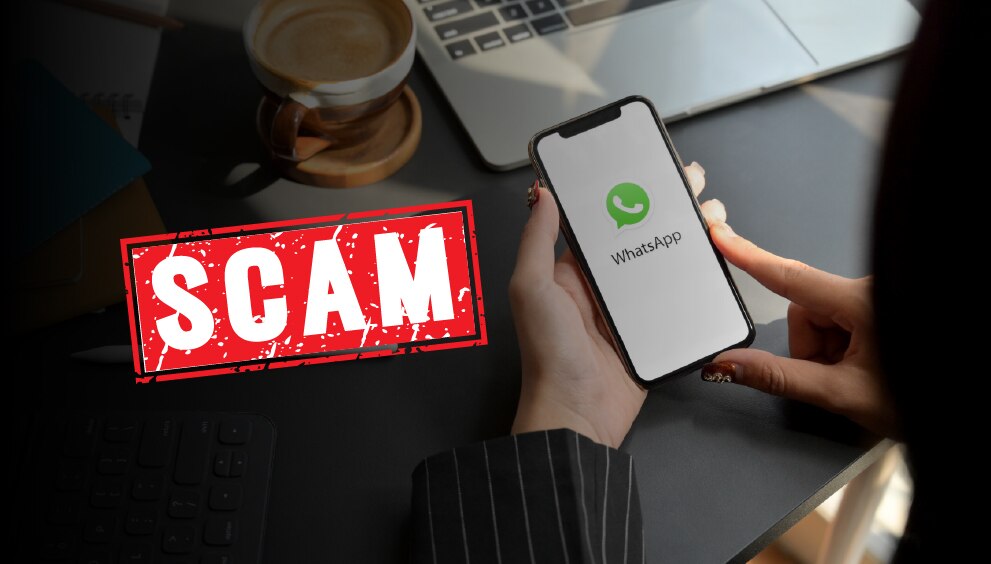
A routine ping can turn into a crisis when a stranger’s message masquerades as a bank alert, a courier update or a KYC reminder. Criminals rely on speed, distraction and trust to trick users, which is why understanding WhatsApp scams is as practical as locking a front door. Miss a warning sign and the result may be leaked chats, drained wallets or a hijacked number.
In this article, you will explore why WhatsApp attracts fraudsters, the common tricks seen in India, the settings and habits that reduce risk, and the steps to follow if something goes wrong.
Why WhatsApp is a Prime Target for Cybercriminals
The app is always on, widely trusted and central to family, school and work communication. It supports calls, documents, images and payment confirmations, which gives fraudsters several angles. In India, lures frequently reference UPI refunds, PAN or Aadhaar verification, electricity bill deadlines and parcel deliveries.
Perfect sanitisation of a damaged device, enabled by tools like Total Security Antivirus, provides a valuable safety net. Yet, this environment allows WhatsApp scams to blend into everyday chatter, making a rushed tap or share more likely. Treat convenience and urgency as signals to slow down.
Common Types of WhatsApp Scams
Patterns repeat. Learning the main ones makes suspicious activity easier to spot before it causes damage.
1. Phishing Messages and Fake Links
WhatsApp phishing aims to collect credentials or install harmful software. Typical red flags include:
- OTP requests that you did not initiate
- Payment or KYC updates sent as shortened URLs
- Lookalike domains that swap letters or add extra characters
- Requests to forward a code “to restore access”
Approach unexpected scam WhatsApp messages with caution. Preview links by long-pressing, read the entire address, and navigate to official portals in your browser rather than tapping in chat. Verify claims using the bank’s or courier’s published helpline.
2. WhatsApp Web Hijacking And Unauthorised Sessions
Criminals sometimes pair their own browser to your WhatsApp by tricking you into scanning a QR code or by getting brief hands-on access to your phone.
- Check Settings → Linked devices and sign out of any computer or browser you do not recognise.
- Only scan the WhatsApp Web QR from your own browser tab, never from a screenshot or a code sent in chat or over a call.
- Add an app lock and enable two-step verification so any new pairing needs your PIN.
-
Review linked devices regularly and treat unexpected QR codes as a clear red flag. The scenarios were the same when your Instagram ID got hacked.
3. Malware and Spyware Distributed Via WhatsApp
Rogue APK files, cracked apps, fake interview letters and embedded macros inside documents are common vehicles. Installing one can enable keylogging or screen capture. Keep to official app stores, avoid side-loading, and be careful when files request permission changes. This is a growing WhatsApp threat because it relies on curiosity rather than complex hacking.
4. Account Takeover & SIM-Swap Attacks
Takeovers usually start with social engineering, then progress to OTP capture. SIM-swap is more severe, since control of the mobile number allows interception of codes across services. Many scams on WhatsApp start with a friendly request from a compromised contact asking for a quick code or small payment. Do not share OTPs, QR code one-time payment approvals, or card details in chat, even with known names.
How to Secure Your WhatsApp Account
Good security combines correct settings with deliberate habits. The steps below reduce exposure to WhatsApp scams and simplify recovery.
1. Enable Two-Step Verification (2FA)
Add a six-digit PIN that is required whenever your number is registered on a new device.
- Open Settings
- Tap Account
- Select Two-step verification
- Tap Enable, choose a unique PIN and add a recovery email
Do not reuse a UPI PIN or device unlock code. Keep the recovery email private.
2. Be Cautious With Links, Attachments & Unknown Contacts
Small choices block big problems. A short checklist helps filter scam WhatsApp messages early:
- Ignore links and attachments from unfamiliar numbers.
- Confirm KYC or payment instructions using verified channels.
- Avoid APKs, cracks and “mod” versions shared on chat.
- Be wary of investment, job and giveaway groups promising quick profits.
- If a friend requests money, call back before sending anything.
3. Review and Adjust Privacy & Security Settings
Restrict visibility to reduce targeting and WhatsApp phishing attempts.
- Set Profile photo, About, Last seen, and Online to My contacts.
- Limit Groups to My contacts or My contacts except.
- Share Status with a smaller list.
- Consider disappearing messages for sensitive chats.
- Enable Screen lock using fingerprint or Face ID.
4. Enable Security Notifications and Monitor Activity
Security notifications warn when a contact’s code changes. This often indicates a new device or reinstall, and can reveal an impostor.
- Go to Settings → Account → Security notifications, then toggle on
- Inspect the linked devices each week and remove any you do not recognise
- Skim archived threads for odd links or files that may signal a developing WhatsApp threat.
What to Do if You Suspect a WhatsApp Scam
Calm, quick action prevents escalation. The sequence below supports WhatsApp hacked how to recover scenarios.
- Disconnect Sessions
Open Settings → Linked devices and log out unfamiliar entries. If the handset is missing, use the manufacturer’s find-my feature to lock or erase it.
- Reclaim Your Account
Reinstall WhatsApp and sign in with your number. Enter the OTP. If a two-step PIN you did not set is requested, wait seven days and try again, then enable your own PIN immediately.
- Check for SIM-Swap
If calls or SMS fail, contact the mobile operator at once. Request a block on any new SIM issued to your number and seek official guidance.
- Reset Passwords and Review Finance
Change passwords for email and payment apps. Lower UPI limits for a short period and check recent transactions.
- Scan for Malware
Use a reputable security app. Remove unknown or recently installed applications. Keep the operating system and WhatsApp up to date.
- Notify Close Contacts
Send a brief alert through a safe channel. Ask contacts to ignore unusual requests. This helps contain scams on WhatsApp that spread through compromised address books.
For anyone wondering how can I recover my hacked WhatsApp account, the priority is device control, SIM control, and account control, followed by fresh credentials and 2FA. If you’ve faced similar issues on other platforms, such as when your Instagram ID got hacked, the same principles of quick action, password resets, and enabling two-factor authentication apply.
Building Safer Chat Habits: Prevention for the Long Term
- Long-term safety is not complex. It is consistent.
- Treat urgency as a prompt to pause and verify
- Update WhatsApp and the phone’s OS regularly
- Install apps only from official stores
- Keep separate email addresses for banking and general use
- Avoid posting your number publicly
- Educate family members about UPI, KYC and employment lures
- Schedule a quarterly settings review to keep ahead of WhatsApp scams
frequenlty asked questions
-
What to do if a scammer has your WhatsApp?
Unlink suspicious devices, reinstall the app and sign in with your number, then enable two-step verification. Contact the mobile operator to rule out SIM swap, and alert close contacts so they ignore any new scams on WhatsApp.
-
Can someone hack you if you respond to their WhatsApp message?
A simple reply is unlikely to be enough. Risk rises when links are opened, OTPs are shared, or files are installed. Many WhatsApp phishing attempts start with small talk to build confidence, so keep sensitive details out of chat.
-
How to remove malware from my phone?
Uninstall unknown or recent apps, especially side-loaded APKs. Run a full scan with trusted mobile security software, clear browser downloads and update the operating system. If problems persist, back up essentials and perform a factory reset.
-
What should I do if I click a suspicious link on WhatsApp?
Disconnect data for a short while, avoid entering any credentials and close the page. Clear your browser history and downloads, change the passwords for important services, and consider a scan. Many scam WhatsApp messages redirect to fake sign-in pages that capture details.
-
How do I report a WhatsApp scam?
Open the chat, tap the profile at the top, select Report and then Block. Keep evidence such as screenshots and transaction references if money or KYC data was involved. Reporting helps reduce the spread of WhatsApp phishing campaigns across wider networks.