
22
Dec
Dec

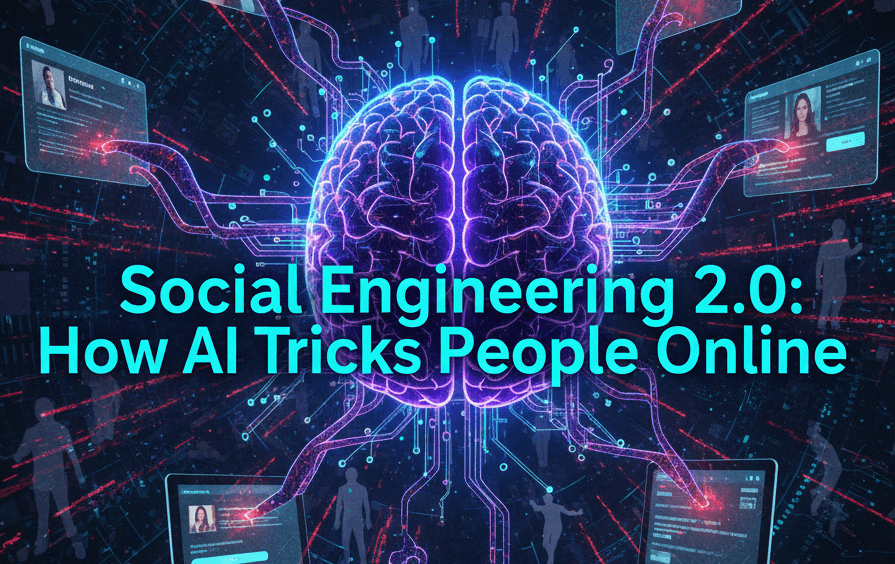
Social Engineering 2.0: How AI Tricks People Online
-
Quick Heal / 4 months
- December 22, 2025
- 0

If you’ve ever received a “KYC update” SMS or a WhatsApp message from a “delivery agent”, you’ve met modern online manipulation. With social engineering 2.0, scammers use AI to write convincing copy and personalise messages using details people share online. In India, where UPI and WhatsApp are part of daily life, this can feel alarmingly normal. That’s why internet security is also about spotting manipulation before you respond for many Indians.
What Is Social Engineering 2.0 and Why It’s More Dangerous
Social engineering is the art of tricking someone into doing something that benefits the attacker – sharing information, approving a payment, or installing an app. Earlier scams often had clumsy language and generic stories. Social engineering 2.0 uses AI to sound clear, polite, and believable, and to keep replies flowing until you comply.
It’s more dangerous because it targets trust and stress. The message often lands when you’re busy, so you react instead of verifying. That’s where social engineering attacks thrive.
Most Common Social Engineering Attacks Today
AI helps scammers run high-volume campaigns that feel personal. Here are the most common social engineering attacks across email, SMS, social media, and calls.
1. Social Engineering Phishing
Social engineering phishing is a message that looks legitimate and pushes you to click, log in, or share a code. In India, it often imitates banks, UPI apps, and courier updates.
You’ll often see:
- “Update KYC” or “confirm PAN” links
- Failed delivery or refund “verification” links
Attackers mix phishing and social engineering so the message feels official and the request feels urgent. One tap can lead to a fake login page or an app that steals OTPs.
2. Impersonation and Fake Identities
Impersonation is when the attacker pretends to be someone you know or trust – your manager, a relative, or customer support. AI helps by producing smooth replies and believable profiles.
Common Indian examples:
- “Boss” scam: urgent UPI transfer “before a meeting”
- “Support” scam: a fake agent “fixing” a payment issue
These social engineering attacks work because the identity sounds real long enough for you to act.
3. Deepfake Voice and Video Scams
Deepfakes clone a voice from short clips, then call a family member or an employee. The script leans on emotion and secrecy: “I’m stuck”, “don’t call back”, “do it quickly”. These are newer online scamming methods built to sound familiar, even when the request is dangerous.
Why Social Engineering 2.0 Is Harder to Detect Than Before
With social engineering 2.0, AI removes the obvious signs. Messages are clean, politely phrased, and formatted like genuine alerts, and scammers test many versions to see what gets replies.
AI also helps scammers sound local. The same script can arrive in fluent English, Hindi, or Hinglish, and be tuned for Bengaluru, Pune, or Delhi. On calls, spoofed numbers and polished voices remove doubt and buy trust.
They also use personal details – your LinkedIn role, public posts, even your company naming style – then add urgency: account block, penalty, missed delivery, refund expiry. Communication overload does the rest. This is why awareness social engineering is about building a calm pause before action.
Warning Signs of Social Engineering Attacks
Most social engineering attacks share patterns. If you notice these, slow down.
1. Urgent or Emotional Requests
Scammers want you to feel rushed or worried – account suspension, a loved one in trouble, or a ticking deadline. If the message tries to control your emotions or asks you to keep it secret, treat it as manipulation.
2. Requests for Passwords, OTPs, or Money
Banks warn: never share OTPs or UPI PINs. Treat it as a red flag if someone requests:
- OTP, UPI PIN, CVV, or net-banking login
- Screen sharing or remote access apps
- A “small fee” to release a parcel or process a refund
3. Pressure to Act Without Verification
A safe request can handle verification; a scam can’t. Step out of the chat, call an official number from the app or website, and confirm. Tools that flag suspicious links and fraud patterns can support this too, often packaged under AntiFraud protection.
Awareness Tips to Avoid Social Engineering Attacks
You don’t need to become paranoid. Build habits that support awareness social engineering.
1. Pause and Verify Before Responding
Make a personal rule: no sensitive action in the first minute. Read the message again and ask, “What exactly is being asked of me?”
Fast verification that works in India:
- Call the person on a saved number, not the number in the message
- Check the bank or shopping app directly for alerts and order status
2. Be Careful What You Share Online
Scammers build believable stories from small clues. Your workplace, travel updates, and phone number help them target you.
Keep it simple:
- Limit who can see your posts and profile details
- Avoid posting screenshots with order IDs or payment references
Less public information means weaker personalised digital deception attempts.
3. Use Security Tools for Extra Protection
Even with good habits, mistakes happen. Security tools can warn you about risky sites, block known malicious links, and help protect passwords from theft. Keep your phone updated, avoid installing APKs from random sources, and use strong, unique passwords. If you can, enable two-step verification on email and banking apps, because stolen email access often leads to wider social engineering attacks.
Choose protection that covers browsing, payments, and messaging. Blocking a suspicious page early can prevent losses.
Stay Alert Against Social Engineering 2.0 with Quick Heal
Quick Heal adds a useful layer against fast-moving scams across SMS, WhatsApp, browsers, and apps. With web protection, malware defence, and fraud-focused features, it supports safer decisions when a message looks convincing. Paired with verification habits, it strengthens total security against social engineering 2.0.
If a message asks for secrecy, speed, or sensitive details, treat it as suspicious. A short pause can save hours of stress later.
frequently asked questions
-
What are signs that a hacker is attempting to use social engineering?
Signs include urgent pressure, emotional manipulation, unexpected links, and requests for OTPs, passwords, or payments. These are common patterns in social engineering attacks.
-
What are the four types of social engineering attacks?
Four broad types are social engineering phishing, impersonation, pretexting (a made-up support story), and baiting (lures like fake offers). All fall under social engineering attacks.
-
What are the red flags for social engineering?
Red flags include secrecy, rushed deadlines, mismatched sender details, and any request for OTPs, UPI PINs, remote access, or money.
-
What is an example of a social engineering hack?
A common example is a WhatsApp message posing as your manager asking for an urgent UPI transfer, followed by repeated pressure to do it immediately.
-
Which antivirus can protect me from social engineering attacks?
No antivirus replaces judgement, but strong protection can reduce risk by blocking malicious links and apps. Quick Heal solutions, combined with verification habits, can help lower exposure to social engineering attacks.