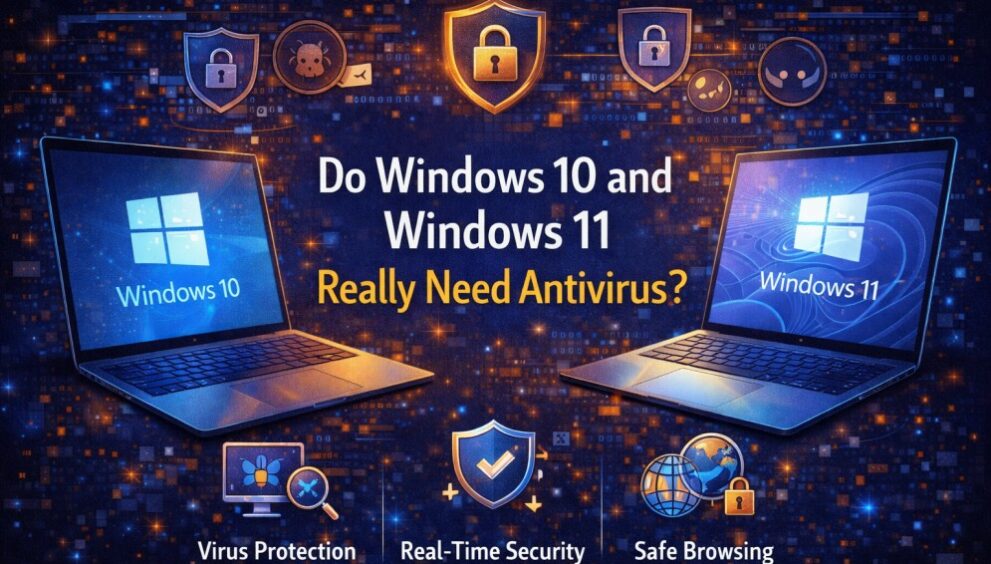
If you use Windows daily, it is easy to assume you are already protected. You see regular updates, built-in security settings, and pop-ups that say You’re protected, so it feels like Windows has it covered. That assumption is partly true, but it is also where the confusion starts.
Windows is more secure than it used to be, and both Windows 10 and Windows 11 include strong built-in protection. But security for the device is not just about the operating system.
In this blog, you will learn what Windows Security covers, where it falls short, and when a third-party antivirus makes more sense for you.
Does Windows Come with Built-In Antivirus Protection?
Yes, Windows comes with built-in protection through Windows Security, which includes Microsoft Defender Antivirus (often still called Windows Defender).
In simple terms, it helps you by:
- Scanning files and downloads for known threats
- Watching for suspicious behaviour in real time
- Blocking many common types of malware before they run
- Adding protection in the browser through reputation checks and warnings
- Working with Windows updates to patch security gaps
For many people, this built-in layer is a solid starting point. The real question is whether your daily usage needs anything beyond that.
Do You Need Antivirus Software for Windows 10?
If you are asking, “Do I need an antivirus for Windows 10?” the honest answer is: it depends on how you use your PC, but many Windows 10 users benefit from an additional layer of protection.
What Protection Windows Defender Offers in Windows 10
On Windows 10, Defender covers the basics well for everyday use:
- Real-time antivirus scanning for files, apps, and downloads
- Built-in firewall controls and network protection options
- Mobile security alerts and a central dashboard inside Windows Security
- Regular updates that improve detection over time
Limitations of Windows Defender on Windows 10
Defender is strong, but it is not designed to solve every risk you face online. Common gaps usually show up in real-life situations, such as:
- Phishing and social engineering: Antivirus cannot “un-send” credentials you typed into a fake banking page.
- Scam-heavy browsing: Fake “support” pop-ups and lookalike sites can still trick people.
- Extra safety features: Some users want tools such as stronger anti-phishing protection, identity alerts, and multi-device coverage that go beyond Windows’s default settings.
- Household usage: When multiple people use a single laptop, a single risky click can affect everyone’s files and logins.
When Windows 10 Users Should Consider Extra Antivirus Protection
You should seriously consider extra protection on Windows 10 if any of these sound like you:
- You often download software, especially free tools, converters, mods, or cracked files.
- You use USB drives from print shops, cyber cafés, schools, or shared workplaces.
- You use netbanking, UPI, or store card details for shopping.
- Your PC is shared with family members, especially children or seniors.
- You want simpler controls and clearer warnings without digging into settings.
- You are running a small business setup on a personal laptop (invoices, client data, GST work)
Do You Need Antivirus Software for Windows 11?
Windows 11 is built with stronger security by design, but that does not mean it is immune. If you are wondering, “Do I need an antivirus for Windows 11?”, the best way to think about it is this: Windows 11 raises the baseline, but your risk still depends on your usage, including how well you stay protected from antifraud scams that rely on fake links, impersonation, and social engineering.
How Windows 11 Improves Built-In Security
Windows 11 typically runs on newer hardware and enables security features more consistently. In everyday language, it is better at:
- Making it harder for low-level malware to tamper with system startup
- Using hardware-backed protections on supported devices
- Blocking certain risky apps and behaviours more aggressively (depending on settings)
Is Windows 11 Fully Secure without Antivirus?
No operating system is “fully secure” on its own. Most modern threats are not only about viruses. They are about tricks that target people:
- Fake courier messages and “reschedule delivery” links
- “PAN/Aadhaar verification” or “KYC update” scams
- Lookalike payment pages that steal UPI PINs or passwords
- Malicious attachments disguised as bills, resumes, or bank alerts
Why Some Windows 11 Users Still Add Extra Protection
Some Windows 11 users choose a third-party antivirus because they want:
- More visible web and anti-phishing protection while browsing
- Extra tools for privacy, device performance checks, or safer payments
- Multi-device coverage for a mix of Windows, Android, and family devices
- Better support and simpler “set it and forget it” controls.
Windows Defender Vs Third-Party Antivirus: What’s the Difference?
At a high level, Defender is your built-in baseline protection, while third-party antivirus software often adds more layers and convenience.
Here is a simple way to compare:
- Built-in protection (Defender): Solid antivirus scanning, integrated with Windows, minimal setup, and generally light on system resources.
- Third-party antivirus: May add stronger web filters, anti-phishing layers, broader scam protection features, privacy tools, and more guided controls for families.
The trade-off is that some third-party tools can feel heavier, more “pop-up” driven, or include features you may not use. The best choice is the one you will keep up to date and use correctly.
Who Needs Additional Antivirus Protection on Windows?
Use this checklist-style section to quickly identify yourself.
- Families With Shared PCs: Multiple users, mixed browsing habits, higher chance of accidental clicks
- Students: Frequent downloads, shared files, USB usage, campus Wi-Fi, and rushed submissions
- Gamers: Mods, trainers, unofficial launchers, and “free” downloads that can hide threats
- Frequent Online Shoppers: Saved cards, UPI usage, delivery tracking links, and fake refund calls
- Freelancers And Remote Workers: Client documents, contracts, bank details, and shared links
- Small Business Users: Invoices, customer data, tax work, and sensitive files on one machine
- People Using Public Wi-Fi Often: Cafés, airports, hotels, and co-working spaces
- Anyone Managing Important Logins: Email accounts, cloud storage, and banking apps tied to your identity
If you ticked even a few, extra antivirus protection can be a sensible layer, not an overreaction.
Stay Protected on Windows with Advanced Security
Whether you rely on Windows Security alone or add a third-party tool, your goal is the same: reduce risky moments and protect personal data.
- Keep Windows and browsers updated, and install apps only from trusted sources
- Use strong, unique passwords and enable two-step verification wherever possible
- Be sceptical of urgent links, “account blocked” messages, and unknown attachments
- Back up important files so you can recover quickly if something gets corrupted or locked
- Review your privacy and security settings occasionally, especially on a shared PC
If you treat security as a habit, not a one-time install, you will avoid most of the problems that hit everyday users.