


30
Jul
Jul

How Malicious Apps Steal Your Banking Details (And How to Stay Safe)
- QuickHeal / 2 months
- July 30, 2026
- 0

Table of Contents
- Why Malicious Apps Banking Attacks Are Rising
- How Malicious Apps Banking Attacks Actually Work
- How Today;s Banking Malware Is Evolving
- How to Spot a Malicious Banking App
- Think You’ve Installed a Malicious App? Here’s What to Do
- Final Thoughts
It starts with something ordinary. A WhatsApp message about a missed courier delivery. A text saying your electricity bill is overdue, with a handy “Pay Now” link. A call from someone claiming to be your bank, asking you to install an app to “verify” your KYC. You tap, you install, and without a single alarm bell ringing, your phone quietly hands control of your money to a stranger.
This is how most malicious app banking attacks begin, and it is why they work so well. Cybercriminals no longer need to break into a bank’s servers; they only need you to install one wrong app. This guide is for anyone who banks, pays bills, or sends money from a smartphone, whether you have used UPI for years or just started. It covers why malicious apps and banking attacks are rising, how banking malware and Android threats actually operate, what recent research reveals about mobile banking fraud in India, and the practical steps that keep a fake UPI app off your home screen.
Why Malicious Apps Banking Attacks Are Rising
Fraudsters disguise malware as everyday utility tools, such as PDF scanners, courier trackers, or file managers, so malicious apps banking attacks slip past a user’s guard rather than their antivirus.
Zimperium’s 2026 Mobile Banking Heist Report found that researchers tracked 34 active malware families targeting 1,243 financial institutions across 90 countries through 2025, with Android malware-driven fraudulent transactions rising 67 per cent year over year. Google’s threat intelligence researchers have separately flagged a steady rise in attackers abusing Android’s Accessibility Services to hijack active banking sessions. With India leading the world in digital payments, defending against mobile banking fraud has stopped being optional.
How Malicious Apps Banking Attacks Actually Work
A malicious app banking attack rarely looks dramatic; it follows a quiet, repeatable sequence.
Stage | What Happens |
Download | You install a fake utility tool or a fake UPI app from an unofficial source, often shared over WhatsApp or SMS. |
Permission | The app requests Accessibility, SMS, or Notification permissions that appear harmless. |
Monitoring | Malware silently records usernames, passwords, OTPs, and on-screen activity. |
Impersonation | A fake banking login page appears over the genuine banking app. |
Theft | Fraudsters authorise transactions using stolen credentials before the victim notices. |
The biggest enabler here is Accessibility Services, a feature built to help people with disabilities. In the wrong hands, as Google’s own developer documentation notes, that same permission lets an app read screen content, simulate taps, and automatically navigate a banking app. CYFIRMA researchers have documented Android droppers built specifically to impersonate Indian banking apps, using cloud services as a silent command centre for stolen data. A fake UPI app built this way can look identical to the real one while quietly intercepting verification codes.
How Today’s Banking Malware Is Evolving
Early mobile malware mostly served intrusive ads. Today’s banking malware on Android is built for one purpose: financial theft, and it keeps getting harder to spot.
ThreatFabric’s researchers uncovered Crocodilus, a banking trojan that abuses Accessibility Services to take over a device and harvest both banking credentials and cryptocurrency wallet recovery phrases, with campaigns that have expanded well beyond its original targets in Spain and Turkey. Zscaler’s ThreatLabz team has tracked Anatsa, also known as TeaBot, which now targets more than 800 financial applications worldwide and has repeatedly slipped past Google Play’s review process disguised as PDF readers and document scanners.
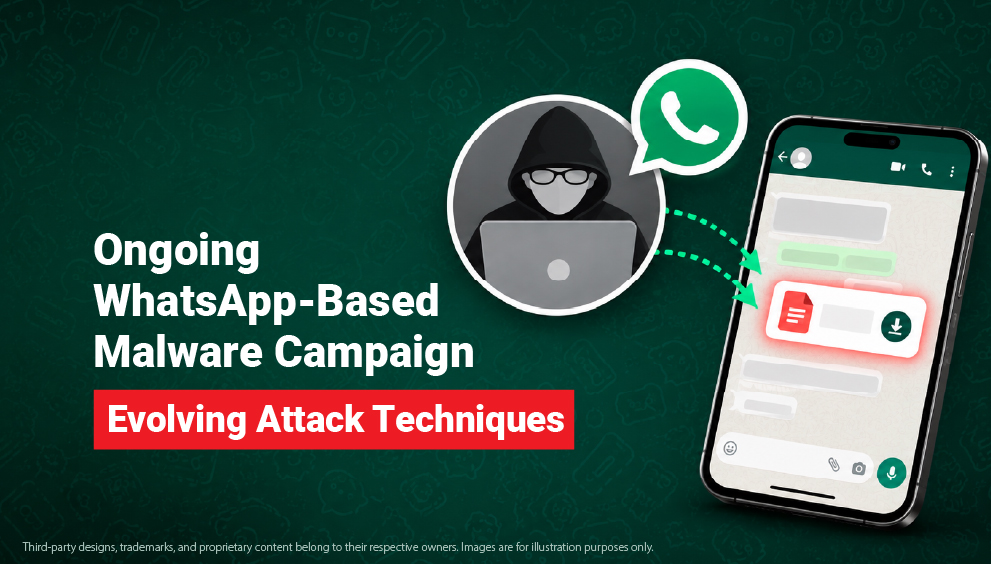
India has its own well-documented case. Zimperium’s zLabs team uncovered a campaign named FatBoyPanel: nearly 900 malware samples distributed via WhatsApp as APK files that impersonated government and banking apps and exposed sensitive data belonging to an estimated 50,000 users through unsecured cloud storage. The samples intercepted SMS messages, including OTPs, to enable unauthorised transactions, a pattern that echoes CERT-In’s repeated advisories about fake financial apps and malicious APK files spreading through phishing links and messaging platforms.
How to Spot a Malicious Banking App
A malicious banking app attack rarely announces itself. Watch for these warning signs instead:
- The app asks for Accessibility, SMS, or Notification permissions without a clear reason.
- It prompts you to disable Google Play Protect.
- It arrived through a link rather than the official app store.
- The developer name looks unfamiliar or contains spelling mistakes.
- It has very few downloads but unusually glowing reviews.
- Your banking app suddenly shows an unfamiliar login screen.
- You receive OTPs or transaction alerts you never requested.
- Your phone runs hotter, slower, or drains its battery faster after a new install.
If several line up together, stop using banking apps on that device until it has been checked.
Think You’ve Installed a Malicious App? Here’s What to Do
Acting fast limits the damage from a malicious app banking attack.
- Disconnect your phone from Wi-Fi and mobile data.
- Call your bank and temporarily block online banking, UPI, and payment cards.
- Change your banking passwords from another trusted device.
- Uninstall the suspicious application.
- Run a full scan with trusted mobile security software.
- Watch your account closely for unauthorized transactions.
Report the incident by calling 1930 or filing a complaint at cybercrime.gov.in.
If money has already moved out of your account, inform your bank immediately. Early reporting genuinely improves the odds of recovering funds.
Final Thoughts
As smartphones become the centre of everyday banking, malicious app banking attacks will only get more convincing. Cybercriminals are spending less effort attacking banks directly and far more effort convincing you to install the wrong app.
Preventing mobile banking fraud in India relies on simple habits: only download verified applications from official stores to avoid a fake UPI app, and strictly restrict sensitive app permissions like Accessibility.
Whether the threat shows up as banking malware on Android, a fake UPI app, or a wider mobile banking fraud India campaign, the defence stays the same: verify before you install, question urgency, and check permissions before you grant them. Pair that habit with trusted mobile security, and you can bank on your phone with real confidence.
Security solutions that actively detect malicious apps, monitor phishing links, and warn users before dangerous permissions are granted add another important layer of protection. Quick Heal’s mobile security solutions are designed to identify these threats before they reach your banking apps.