
01
Oct
Oct

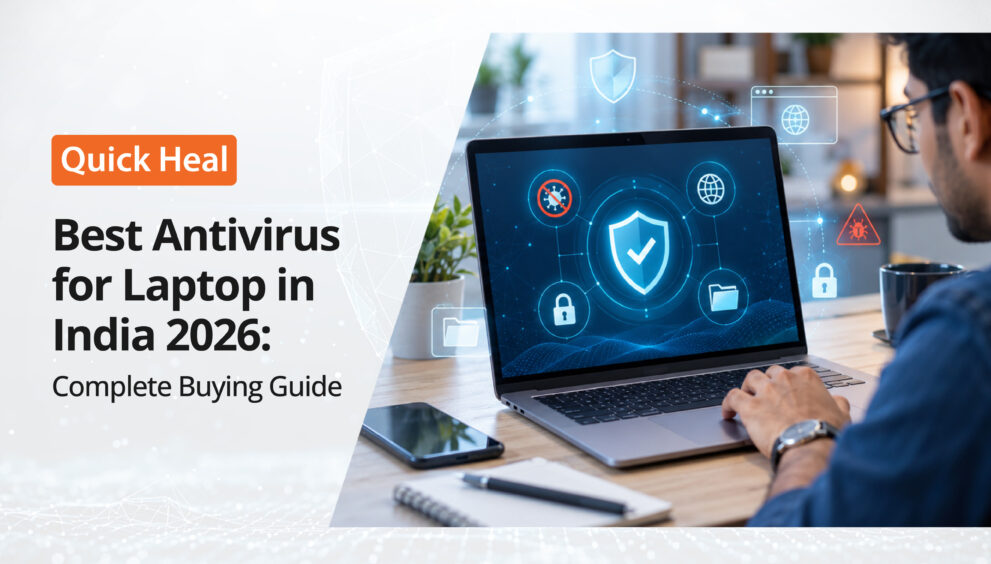
Best Antivirus for Laptop in India 2026: Complete Buying Guide
- QuickHeal / 4 days
- October 1, 2026
- 0

Table of Contents
- 5 Best Antivirus Options for Laptop in India
- Quick Comparison of Laptop Antivirus Options
- What Should the Best Antivirus for Laptop Protect Against?
- Free vs Paid Antivirus for Laptop
- How to Choose the Best Antivirus for Laptop in 2026
- FAQs
- Final Thoughts
Your laptop may hold your work files, banking details, passwords, photos, and personal information. That makes laptop security crucial, especially as cyber threats target devices used for browsing, downloading, banking, and online transactions.
The India Cyber Threat Report 2026 from Seqrite, the enterprise arm of Quick Heal, recorded 265.52 million malware detections across more than 8 million endpoints between October 2024 and September 2025, averaging 505 detections every minute. Trojans and file infectors together accounted for nearly 70% of detections. The report also recorded more than 9.2 million network-based exploit scans.
With malware, ransomware, phishing, and malicious downloads posing ongoing risks, choosing the best antivirus for a laptop can add an important layer of protection. But which products are worth considering in 2026?
5 Best Antivirus Options for Laptop in India
There is no single antivirus that suits every laptop user. Your choice depends on how you use your device, the features you need, and whether you want basic malware protection or a broader security package.
Quick Heal Total Security
Best suited for: Users looking for broader laptop protection
Quick Heal Total Security is an all-in-one security solution offering 360° protection, advanced anti-ransomware protection, browsing and phishing protection, SafePe for banking transactions, and Smart Parenting features.
For users looking for antivirus software for laptops that goes beyond basic malware scanning, Total Security offers a broader security package for laptops used for banking, shopping, work, and other sensitive activities.
Quick Heal Internet Security
Best suited for: Users who spend a lot of time online
Browsing, banking, shopping, and downloading files can expose laptops to malicious websites and unwanted software. Quick Heal Internet Security focuses on online protection, including safe browsing, risky website blocking, malware detection, and phishing protection.
For users looking for a laptop antivirus with a strong focus on web activity, it is an option worth comparing.
Quick Heal AntiVirus Pro
Best suited for: Users looking for essential antivirus protection
Not everyone needs an extensive security suite. Quick Heal AntiVirus Pro focuses on core protection against malware and ransomware, along with phishing protection, regular updates, and smart data backup.
It can suit users looking for straightforward antivirus for laptop protection without choosing a larger security package.
ESET NOD32 Antivirus
Best suited for: Users looking for lightweight protection
ESET NOD32 Antivirus is positioned as a fast and lightweight security solution for Windows and macOS. Its features include real-time protection against malware, ransomware, and viruses, anti-phishing, and AI-powered threat detection.
Quick Comparison: Laptop Antivirus Options
| Antivirus | Best suited for | Key focus |
| Quick Heal Total Security | Broader laptop protection | Malware, ransomware, web and privacy protection |
| Quick Heal Internet Security | Heavy internet users | Browsing, phishing and malware protection |
| Quick Heal AntiVirus Pro | Essential protection | Malware, ransomware and phishing |
| ESET NOD32 Antivirus | Lightweight protection | Malware, ransomware, anti-phishing and performance |
| McAfee Total Protection | Multi-device users | Antivirus, web, privacy and identity protection |
Rather than choosing based only on brand popularity, compare these features with your laptop usage. A student who mainly browses and streams may have different requirements from someone using a laptop for banking, remote work, and sensitive business files.
What Should the Best Antivirus for Laptop Protect Against?
Different threats can reach your laptop in different ways, so protection should cover more than basic malware scanning.
Malware and Trojans
The Quick Heal India Cyber Threat Report 2026 found that Trojans accounted for about 43% of detections, while file infectors contributed around 35%.
Your best laptop security software should provide real-time malware detection, automatic updates, file scanning, and behaviour-based threat detection.
Ransomware
The report recorded ransomware activity peaking in January 2025, with 185 incidents and 113,000 detections during that month.
When comparing antivirus solutions, look for ransomware protection, suspicious activity monitoring, and mechanisms designed to prevent unauthorised changes to files.
Phishing and Malicious Websites
A cyberattack does not always begin with a downloaded file. Fraudulent websites and malicious links can attempt to steal passwords, banking information or other sensitive data.
Web and phishing protection is therefore important when choosing antivirus software for a laptop, particularly if you frequently shop, bank or work online.
Performance Impact
Security software runs continuously, so system performance is another consideration.
Before selecting a laptop antivirus, check its system requirements, background resource usage, and scan performance. This is particularly important for older laptops with limited RAM or processing power.
Free vs Paid Antivirus for Laptop
Free antivirus protection can work for users with simple browsing habits, provided they keep their software updated and follow safe online practices.
Paid antivirus software for laptops may offer broader web protection, ransomware controls, privacy tools, multi-device coverage, and customer support.
Consider a paid solution if you regularly:
- Use online banking or shopping.
- Download software and files.
- Handle confidential work documents.
- Connect to public networks.
- Need protection across multiple devices.
How to Choose the Best Antivirus for Laptop in 2026
Before buying antivirus for laptop, check:
- Malware protection: Does it provide real-time detection?
- Ransomware defence: Can it monitor suspicious file activity?
- Web protection: Does it identify malicious and phishing websites?
- Performance: Will it work comfortably on your laptop?
- Compatibility: Does it support your operating system?
- Device coverage: Can you protect other devices if needed?
- Updates: Does it receive regular security updates?
- Additional features: Do you need privacy, banking, or parental controls?
- Support: What assistance is available if something goes wrong?
Final Thoughts
The best antivirus for a laptop is the one that matches your security requirements, online habits, and device usage.
Quick Heal Total Security, Quick Heal Internet Security and Quick Heal AntiVirus Pro provide different levels of protection within Quick Heal’s Windows security range, while ESET NOD32 Antivirus and McAfee Total Protection offer alternative approaches to laptop and multi-device security.
When comparing laptop antivirus options, look beyond basic malware scanning and consider ransomware defence, web protection, performance, updates, and support. Choose the solution that provides the features and level of protection most relevant to how you use your laptop.
FAQs
1. Is antivirus necessary for a laptop?
Yes. Antivirus software can provide an additional layer of protection against malware, ransomware, phishing attempts and other online threats. Solutions such as Quick Heal can be particularly useful for laptops used for banking, shopping, downloading files or handling sensitive information.
2. What features should I look for in laptop antivirus software?
Look for real-time malware detection, ransomware protection, web and phishing protection, automatic security updates and reasonable system performance. Quick Heal products also offer features such as banking protection and other security tools, depending on the product you choose.
3. Is free antivirus enough for a laptop?
Free antivirus can provide basic protection and may be suitable for users with simple browsing habits. Paid solutions such as Quick Heal’s security products can offer additional protection features and support, so the right choice depends on how you use your laptop.
4. Can antivirus software slow down a laptop?
Antivirus software runs in the background and can use system resources during scans or security checks. Before choosing a solution, check its system requirements and performance impact. This is particularly important for older laptops with limited RAM or processing power.
5. How often should I update my laptop antivirus?
Keep your antivirus software updated whenever updates are available. Regular updates help security software recognise newer threats and maintain its protection capabilities. Quick Heal and other established antivirus providers regularly release security updates to address evolving threats.