


28
Jul
Jul

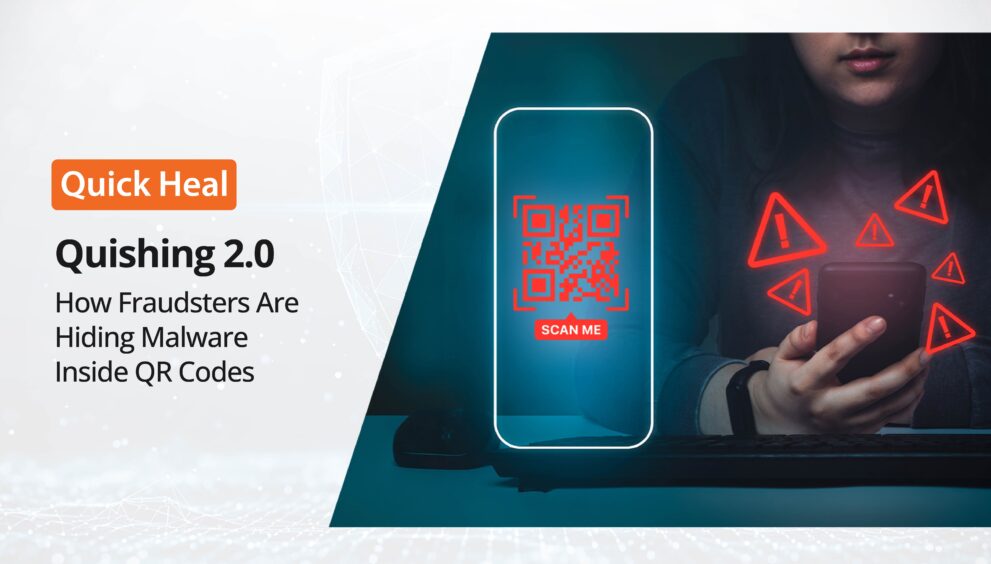
Quishing 2.0: How Fraudsters Are Hiding Malware Inside QR Codes
- QuickHeal / 2 months
- July 28, 2026
- 0

Table of Contents
- What is Quishing?
- Why Is the QR Code Scam Exploding in India?
- Inside the Mechanism: How Malware Hides in Plain Sight
- Anatomy of Modern QR Code Scams
- Static vs. Dynamic QR Codes: Understanding the Security Gap
- Essential Safety Protocols for the Digital Consumer
- How Quick Heal Safeguards Your Device Against Quishing 2.0
- What is OTP fraud?
The black-and-white grid of the QR code has become the unofficial mascot of Digital India. The convenience of just scanning a graphic to complete a task is undeniable. However, this frictionless technology has given rise to a sophisticated mutation in the cyber-threat landscape: Quishing 2.0.
No longer restricted to simple redirection scams, cybercriminals are now using QR codes to bypass traditional security filters and deliver advanced malware payloads straight to mobile devices.
What is Quishing?
The term “Quishing” combines “QR code” and “phishing.” In a standard quishing attack, a fraudster lures a victim into scanning a malicious QR code that redirects them to a spoofed, lookalike website designed to steal credentials or banking OTPs.
While security software and email spam filters are highly effective at detecting malicious text-based URLs, they struggle to scan inside images. Because a QR code is simply an image, attackers use it to bypass security protocols, sending users directly to fraudulent websites or malware downloads. Quishing 2.0 marks the transition from credential harvesting to active malware deployment, weaponising everyday user habits against them.
Why Is the QR Code Scam Exploding in India?
India’s swift digital payments revolution, driven by the Unified Payments Interface (UPI), has created a high-speed transaction environment. Cybercriminals capitalise on this speed, using psychological manipulation alongside technical loopholes.
According to recent cybercrime reports, digital payment fraud has scaled massively across the country:
- Total Confirmed Fraud Cases Analysed: Over 2.3 Lakh (230,000) cases.
- Estimated Financial Losses: Upwards of ₹3,840 Crore.
- The Toll on Victims: An average loss of ₹16,700 per individual.
- Fake QR Code Merchant Fraud: Comprises a whopping 12% of total cases, with urban hubs like Mumbai, Delhi, Bengaluru, and Hyderabad accounting for 61% of all reported QR-based attacks.
Inside the Mechanism: How Malware Hides in Plain Sight
Once scanned, the quishing attack gets executed through two primary methods:
1. The Stealth APK Injection
Unlike a desktop computer that usually prompts a user multiple times before installing software, an Android device can be tricked into downloading Android Application Package (APK) files directly from a browser interface. The malicious QR code triggers a silent download of a modified application, frequently disguised as a legitimate utility app, a reward portal, or a courier tracking tool.
2. Remote Access Exploitation (Screen Sharing)
Advanced variants of the QR phishing India trend involve tricking users into scanning codes that provision remote-management profiles or download remote-access trojans (RATs). Once installed, these tools grant hackers complete visibility over the device screen, allowing them to monitor keystrokes, view active applications, and harvest banking credentials in real time.
Anatomy of Modern QR Code Scams
To understand how these attacks manifest in the real world, let’s examine the primary vectors currently targeting users:
Scam Vector | The Execution Strategy | The Technical Threat |
The “Scan to Receive Money” Trap | Peer-to-peer sellers (e.g., OLX, Facebook Marketplace) are sent a QR code to “receive” an advance payment. | Exploits UPI Collect Requests to pull funds rather than deposit them. |
Tampered Merchant Stands | Physical QR code stickers at retail checkouts or parking meters are covered with counterfeit overlays. | Diverts legitimate commercial payments directly into mule accounts. |
Fake Utility/Bill Alerts | High-pressure SMS/WhatsApp messages warn of service cancellation unless a code is scanned immediately. | Directs users to credential-harvesting landing pages or automatic malware downloads. |
Malicious APK Rewards | Promos offering cashback or festival scratch cards require scanning a code to download a “rewards app.” | Installs background spyware designed to intercept SMS messages and banking OTPs. |
Static vs. Dynamic QR Codes: Understanding the Security Gap
To better protect yourself, it is essential to understand the difference between the two types of QR codes frequently exploited in these scams:
Security Feature | Static QR Codes | Dynamic QR Codes |
Data Nature | Embedded information is permanent and cannot be altered once printed. | Links to a redirect URL where destination data can be changed dynamically. |
Tampering Risk | High. Easily cloned, printed, or pasted over physically. | Lower. Often generated digitally on a PoS terminal screen for one-off use. |
Traceability | Almost zero scan tracking or analytics. | Fully traceable (scan location, device operating system, IP address). |
Malware Risk | Often used to distribute permanent malicious links on flyers/stickers. | Can be weaponized on-the-fly to serve malware depending on the user’s location. |
Essential Safety Protocols for the Digital Consumer
Defending against the modern QR code scam requires combining disciplined digital habits with strong technical boundaries. Incorporate these core safety practices into your daily digital routine:
- Turn Off Auto-Redirection: Disable the option to automatically open web links in scanner settings. Always preview the destination URL before granting permission to load the page.
- The Golden Rule of UPI: Receiving money via UPI requires no validation via QR code or PIN entry.
- Inspect Physical Codes: Physically verify the code surface to ensure it is not a printed sticker superimposed over the original merchant board.
- Avoid Sideloading Applications: Never permit installations from unverified or unknown sources within your device settings. Legitimate service providers will direct you to official marketplaces like the Google Play Store or Apple App Store rather than pushing direct APK downloads.
If you suspect you have interacted with a fraudulent code or notice unexpected financial debits, act immediately:
- Contact your banking institution to freeze your payment channels and block your UPI ID.
- Dial the National Cyber Crime Helpline at 1930.
- Log a formal complaint at cybercrime.gov.in to assist law enforcement in tracking the fraudulent infrastructure.
How Quick Heal Safeguards Your Device Against Quishing 2.0
Manual inspection alone is no longer enough to avoid online scams. Quick Heal Mobile Security acts as an intelligent safety net, neutralising threats at multiple stages of the attack chain.
Web Protection & Anti-Phishing
The moment your smartphone camera interacts with a QR code, Quick Heal’s real-time Browsing Protection intercepts the destination URL before it can load in your mobile browser. If the malicious QR code points to a lookalike phishing site or a newly registered fraudulent domain, the page is blocked instantly.
AI-Driven App Scanning (GoDeep.AI)
If a quishing attack successfully bypasses initial layers and initiates an automatic APK download, Quick Heal’s signature GoDeep.AI technology analyzes it in an isolated sandbox environment before installation.
SafePe: Securing the Transaction Space
SafePe actively blocks malicious background apps from logging your keystrokes, performing unauthorised screen captures, or monitoring your input when entering sensitive credentials like your UPI PIN.
Quishing 2.0 represents a significant shift in the cyberthreat landscape in India. By hiding complex malware payloads behind a highly trusted, everyday visual interface, scammers are catching even tech-savvy users off guard. Stay alert, check before you tap, and keep your digital world secure.