

04
Nov
Nov

Diwali Cybersecurity Checklist: 12 Ways to Protect Your Digital Life
- QuickHeal / 29 minutes
- November 4, 2026
- 0

Table of Contents
- Shop Only On Trusted Websites
- Watch Out For Festive Phishing Messages
- Secure Digital Payments
- Avoid Suspicious QR Codes
- Use Strong And Unique Passwords
- Enable Multi-Factor Authentication
- Keep Devices And Applications Updated
- Avoid Unsecured Public Wi-Fi
- Be Careful With Festive Apps And Downloads
- Protect Personal Information On Social Media
- Stay Alert To Fake Customer Support
- Back Up Important Data And Use Security Software
Diwali is a time for celebrations, shopping, gifting and reconnecting with loved ones. From ordering festive essentials online to making digital payments and sharing greetings, much of the celebration now happens through digital platforms. However, the increase in online activity also creates opportunities for cybercriminals.
Fake shopping websites, fraudulent payment requests, phishing messages and impersonation scams can put personal and financial information at risk. A little caution can make a significant difference. Following a practical cybersecurity checklist can help individuals secure their devices, protect their accounts and enjoy the festive season without unnecessary digital risks.
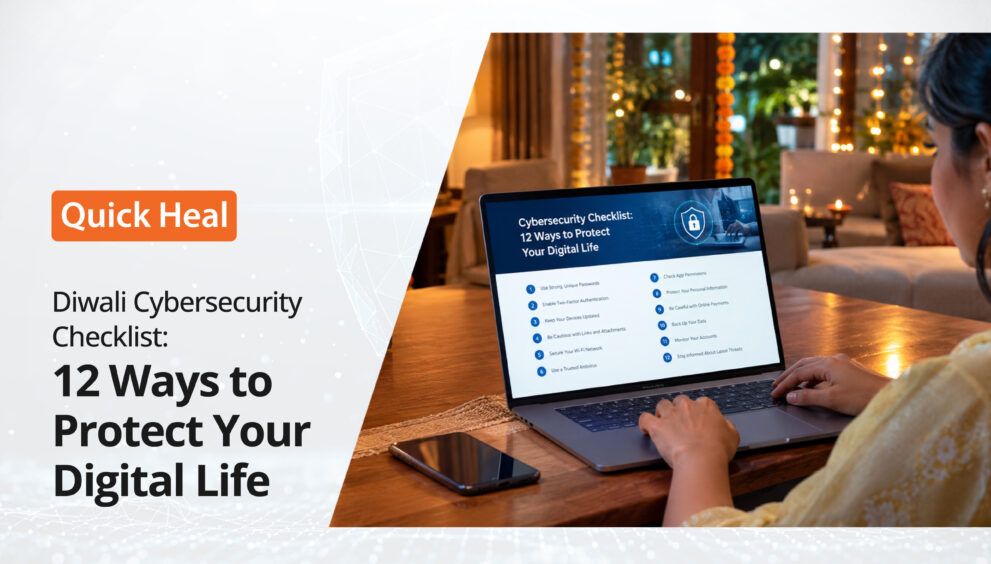
Here are 12 important online safety tips to include in a personal cybersecurity checklist this Diwali.
1. Shop Only On Trusted Websites
Festive sales often bring attractive discounts on electronics, clothing, home décor and gifts. However, scammers may create fake shopping websites that imitate popular brands to collect payment details and personal information.
Before making a purchase, check the website address carefully. Look for spelling mistakes, unusual domain names and suspicious redirects. A secure connection alone does not guarantee that a website is genuine.
It is also advisable to check seller ratings, customer reviews and return policies before placing an order. Avoid deals that appear unusually attractive, especially when the seller demands immediate payment through an unfamiliar link.
2. Watch Out For Festive Phishing Messages
Diwali greetings, discount offers, cashback notifications and gift vouchers are commonly shared through email and messaging platforms. Cybercriminals exploit this activity by sending fake messages containing malicious links or attachments.
A message promising an exclusive festive gift or claiming that a shopping account will be blocked may be designed to create urgency.
As part of a cybersecurity checklist, users should:
- Avoid clicking links from unknown senders.
- Verify promotional offers directly through the brand’s official website.
- Avoid downloading unexpected festive greeting cards or attachments.
- Check the sender’s details before responding to unusual requests.
3. Secure Digital Payments
Digital payments make festive shopping convenient, but they also require careful handling. Fake payment requests, fraudulent cashback offers and impersonation scams can trick users into authorising transactions.
Good digital payment safety practices include checking the recipient’s name and payment amount before confirming a transaction. Users should also verify payment notifications directly through their banking or payment applications.
A UPI PIN is required to authorise a payment, not to receive money. Anyone asking for a PIN, OTP or banking password to process a refund or credit a payment should be treated with suspicion.
4. Avoid Suspicious QR Codes
QR codes are frequently used for payments, promotional offers and digital invitations. However, scammers can use malicious or misleading QR codes to redirect users to fraudulent websites or initiate payment requests.
Before scanning a QR code, check where it has come from. Avoid codes shared by unknown contacts or displayed on suspicious promotional material.
Users should also remember that scanning a QR code to receive money is not necessary. If a transaction requires entering a UPI PIN, it is generally an outgoing payment authorisation and should be checked carefully.
5. Use Strong And Unique Passwords
Festive shopping often involves logging into multiple platforms, including e-commerce websites, banking applications, email accounts and digital wallets. Reusing the same password across these services can increase the risk of account compromise.
Every important account should have a strong, unique password. A combination of letters, numbers and special characters can make passwords harder to guess.
A password manager can help generate and securely store different passwords without requiring users to remember each one. This is an important step in any cybersecurity checklist, particularly for accounts containing financial or personal information.
6. Enable Multi-Factor Authentication
A strong password alone may not always be enough to protect an account. Multi-factor authentication (MFA) adds another verification step, making unauthorised access more difficult.
Where available, MFA should be enabled for email accounts, banking services, social media profiles and shopping platforms.
Authentication applications and security keys can provide additional protection. Users should never share verification codes with anyone claiming to represent a bank, company or customer support team.
7. Keep Devices And Applications Updated
Outdated operating systems, browsers and applications may contain security vulnerabilities that attackers can exploit.
Before the festive shopping season, users should check for pending software updates on laptops, smartphones and tablets. Applications should also be updated through official app stores.
Automatic updates can help ensure that important security fixes are installed without delay. Removing applications that are no longer used can further reduce unnecessary exposure.
8. Avoid Unsecured Public Wi-Fi
Shopping malls, cafés, airports and other public spaces often provide free Wi-Fi. While convenient, unsecured networks can expose users to certain security risks.
Avoid accessing banking applications, entering payment details or sharing sensitive information over unfamiliar public networks.
When internet access is necessary, a trusted mobile data connection is generally a safer option. Users should also disable automatic Wi-Fi connections to prevent their devices from joining unknown networks without their knowledge.
9. Be Careful With Festive Apps And Downloads
During Diwali, users may download applications for greeting cards, photo editing, shopping, games and festive entertainment. However, fake applications can contain malware or request unnecessary permissions.
Applications should only be downloaded from official app stores or verified developer websites. Before installation, check the developer’s identity, reviews and requested permissions.
An application that requests access to contacts, messages, files or other sensitive information without a clear reason should raise concerns. Avoid installing APK files shared through unknown links or messaging groups.
10. Protect Personal Information On Social Media
Sharing festive photographs, travel plans and celebrations online is common. However, oversharing can expose personal information that cybercriminals may misuse.
Public posts may reveal travel schedules, home addresses, phone numbers or details about family members. Scammers can also use publicly available information to create convincing impersonation attempts.
Review social media privacy settings and restrict access to personal posts. Avoid sharing real-time travel updates or sensitive details that could compromise personal or household security.
11. Stay Alert To Fake Customer Support
During busy shopping periods, customers may contact support teams about delayed deliveries, failed payments, refunds and order cancellations. Scammers exploit these situations by posing as customer care representatives.
They may share fake helpline numbers through search results, social media comments or online forums. Some may ask users to install remote-access applications or share OTPs to process refunds.
Always use customer support details listed on the company’s official website or application. Never share banking credentials, PINs or verification codes with someone claiming to help resolve a payment issue.
12. Back Up Important Data And Use Security Software
A secure device and a reliable data backup can help reduce the impact of malware infections, ransomware and accidental data loss.
Important documents, photographs and work files should be backed up regularly to a secure external drive or trusted cloud storage service. Users should also ensure that backups are protected by strong passwords and appropriate access controls.
Security software can add another layer of protection by helping detect malware, malicious websites, suspicious downloads and other online threats. Quick Heal security solutions offer features designed to protect devices against viruses, malware, ransomware and phishing attempts.
Combining security software with regular updates and safe browsing habits makes the cybersecurity checklist more effective.
Conclusion
Diwali should be a time for celebration, not a reason to worry about digital threats. However, increased online shopping, digital payments and festive communication can create opportunities for cybercriminals to target unsuspecting users.
Following these 12 festive cybersecurity tips can help individuals protect their accounts, devices and financial information. From checking shopping websites and securing payments to using strong passwords and keeping software updated, small precautions can prevent significant problems.
A well-followed cybersecurity checklist makes online activity safer throughout the festive season. With awareness, responsible digital habits and reliable security software, individuals can enjoy a more secure and worry-free Diwali.