
28
Oct
Oct

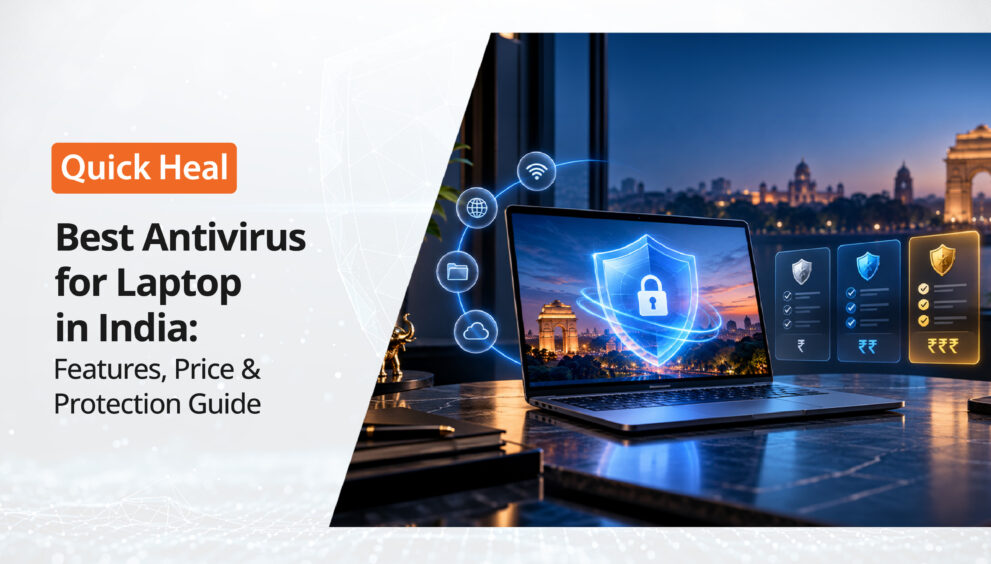
Best Antivirus for Laptop in India: Features, Price & Protection Guide
- QuickHeal / 8 minutes
- October 28, 2026
- 0

Table of Contents
- Introduction
- Why Do You Need Antivirus for Your Laptop?
- What Features Should You Look for in the Best Antivirus for Laptop?
- Free Antivirus or Paid Antivirus: Which Should You Choose?
- How to Choose the Best Antivirus for Your Laptop
- A Few Tips to Keep Your Laptop Protected
- Conclusion
Imagine you are working on an important office presentation, shopping online, or downloading a file for your next assignment. Suddenly, your laptop starts behaving strangely. Files take longer to open, unwanted pop-ups appear, or you notice applications you do not remember installing.
What could be the reason?
Sometimes, it may be a software issue. But in other cases, malware or another security threat could be responsible.
We use our laptops for almost everything today, from online banking and shopping to storing personal photos and work documents. That makes protecting them an important part of our digital routine.
This is where antivirus software for laptop comes in. But with so many options available, how do you decide which antivirus is right for you?
Let’s look at the important features, pricing factors, and things to consider before choosing the best antivirus for laptop in India.
Why Do You Need Antivirus for Your Laptop?
Your laptop connects you to the internet, but it can also expose you to different online threats. A malicious download, suspicious email attachment, or unsafe website may put your device and data at risk.
Here are some common threats to know about:
- Viruses and malware: These can affect your files, applications, or the normal functioning of your laptop.
- Ransomware: This type of malware can lock or encrypt files and demand payment to restore access.
- Phishing attacks: Fake emails and websites may try to trick you into sharing passwords, banking details, or other personal information.
- Malicious downloads: Files downloaded from untrusted websites may contain harmful software.
- Unsafe websites: Some websites may attempt to steal information or expose your device to security risks.
Modern operating systems include built-in security features. However, depending on how you use your laptop, you may want additional protection and features through dedicated laptop antivirus software.
What Features Should You Look for in the Best Antivirus for Laptop?
Not every user needs the same level of protection. Someone who mainly writes documents may have different requirements from someone who frequently shops online, downloads files, or uses internet banking.
Before buying an anti virus for laptop, look at these essential features.
1. Real-Time Malware Protection
Real-time protection helps detect suspicious files and activities as they occur, rather than relying only on manual scans.
For example, when you download a file from the internet, security software may scan it for potential threats before you open it.
Look for antivirus software that provides malware detection, automatic updates, and regular security checks.
2. Protection Against Ransomware
Imagine losing access to important office files, family photographs, or college assignments because they have been encrypted by ransomware.
Ransomware protection helps identify and block relevant threats. Some security products also offer additional features designed to protect important files.
Check the specific ransomware protection features included in a product before purchasing it.
3. Web and Phishing Protection
Do you regularly shop online, access your bank account, or click links received through email?
If yes, web protection is worth considering.
Some antivirus products help identify malicious websites, suspicious links, and phishing attempts. These features can reduce the risk of visiting a fake website designed to collect your personal information.
Remember, though, that security software cannot guarantee protection against every scam. Always check website addresses carefully and avoid sharing sensitive information on unfamiliar pages.
4. Email and Download Scanning
Email attachments and downloaded files are common ways malicious software reaches a laptop.
Choose laptop antivirus software that can scan relevant files and attachments for potential threats. This can be particularly useful if you frequently receive documents from different people or download files for work.
Even with antivirus protection, avoid opening unexpected attachments or installing software from unknown sources.
5. Performance and Ease of Use
Your antivirus should protect your laptop without making everyday tasks unnecessarily difficult.
Look for software that offers straightforward settings, automatic updates, scheduled scans, and clear security alerts.
Check the product’s system requirements as well. An older laptop with limited memory may have different performance needs from a newer device.
6. Additional Security Features
Depending on your usage, you may also benefit from features such as safe banking, privacy tools, parental controls, or protection for multiple devices.
However, do not choose a product only because it offers the longest feature list. First, identify which features you will actually use.
How Much Does Antivirus for Laptop Cost in India?
The price of antivirus for laptop in India depends on the product, subscription duration, number of devices covered, and included features.
Some products offer basic protection, while more comprehensive plans may include additional web security, privacy, or family protection features.
Before comparing prices, keep these points in mind:
- Subscription duration: A one-year plan and a multi-year plan may have different overall costs.
- Number of devices: Check whether the licence covers one laptop or multiple devices.
- Included features: Compare the protection and additional tools offered by each plan.
- Renewal pricing: Check the renewal terms and price before purchasing.
- Trial versus paid subscription: A free trial provides access for a limited period, while a paid subscription offers protection according to its licence terms.
There is no single price that suits every user. Visit the official product website to check current pricing, offers, licence terms, and the features included in each plan.
Free Antivirus or Paid Antivirus: Which Should You Choose?
This is a common question when looking for the best antivirus for laptop.
Free security tools can be useful, but their features and level of support vary. Some users may find built-in operating system protection sufficient for their needs, while others may want additional security features.
A paid antivirus plan may be worth considering if you need more comprehensive protection, specific online security features, or coverage for multiple devices.
Before deciding, compare what is included rather than choosing only by price. Also, remember that a free trial and a permanently free product are not the same thing.
How to Choose the Best Antivirus for Your Laptop
Still wondering which antivirus is best for laptop use? Start by considering your everyday activities.
- For students: Look for malware protection, download scanning, and a solution compatible with your laptop’s specifications.
- For working professionals: Consider malware protection, web security, and features that support safer handling of work documents and online accounts.
- For online banking and shopping: Look for phishing protection and safe-banking features, where available.
- For families: Consider multi-device coverage and parental controls if you need them.
- For older laptops: Check system requirements and independent performance assessments before buying.
You can also explore products such as Quick Heal Antivirus Pro, Quick Heal Internet Security, and Quick Heal Total Security. Compare their current specifications and included features to find an option that matches your requirements.
H2:A Few Tips to Keep Your Laptop Protected
Installing antivirus software is an important step, but your everyday habits matter too.
- Keep your operating system, browser, and security software updated.
- Download applications only from trusted websites or official sources.
- Avoid clicking suspicious links in emails, messages, or pop-ups.
- Use strong, unique passwords for important accounts.
- Back up important files regularly.
- Run security scans and follow the recommended actions if a threat is detected.
These simple practices, combined with suitable security software, can help you maintain a safer laptop environment.
H2:Conclusion
Choosing the best antivirus for laptop in India is not just about finding the cheapest plan or the product with the most features. It is about understanding your needs and selecting protection that fits your everyday use.
Look for essential features such as real-time malware protection, ransomware defence, web security, and regular updates. Compare subscription terms, device coverage, system requirements, and current prices before making a decision.
Most importantly, do not wait until something goes wrong to think about laptop security.
A little preparation today can help you protect your files, personal information, and everyday digital activities tomorrow.