

15
Oct
Oct

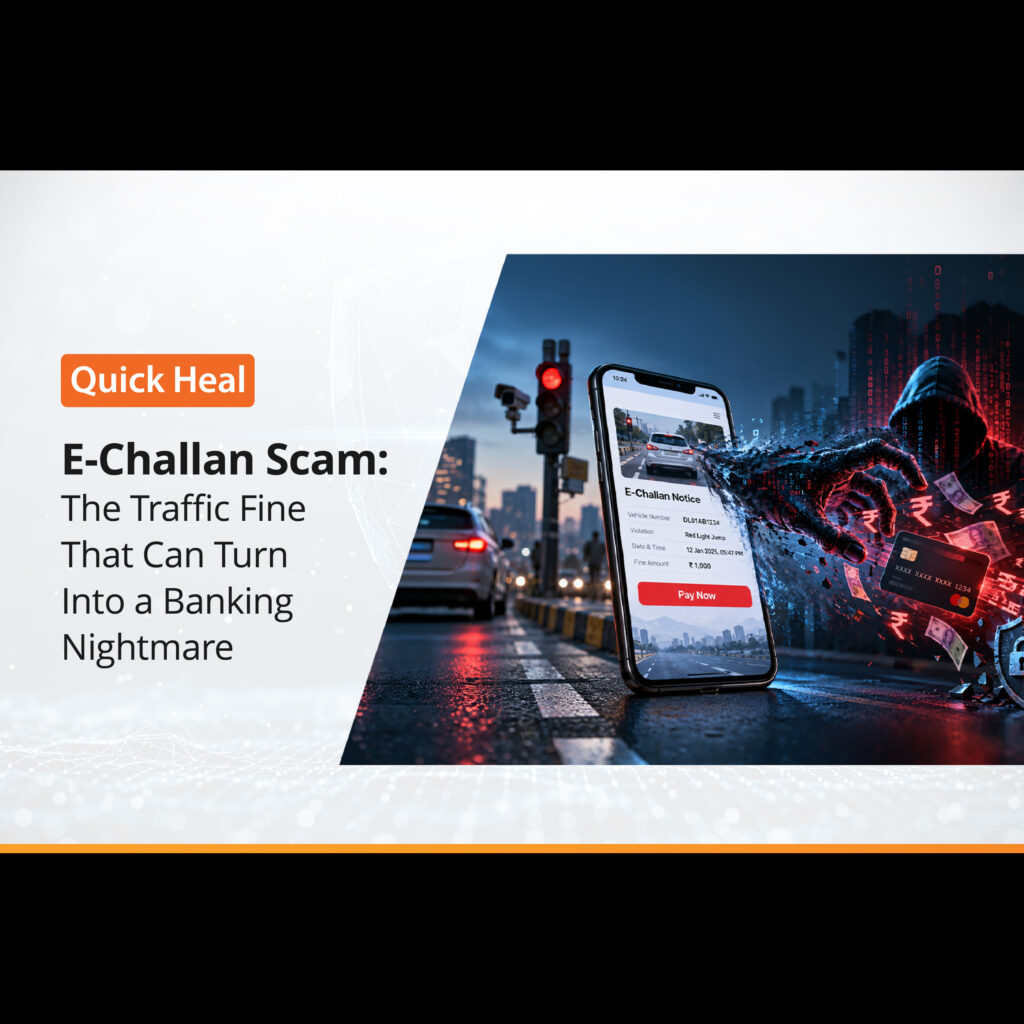
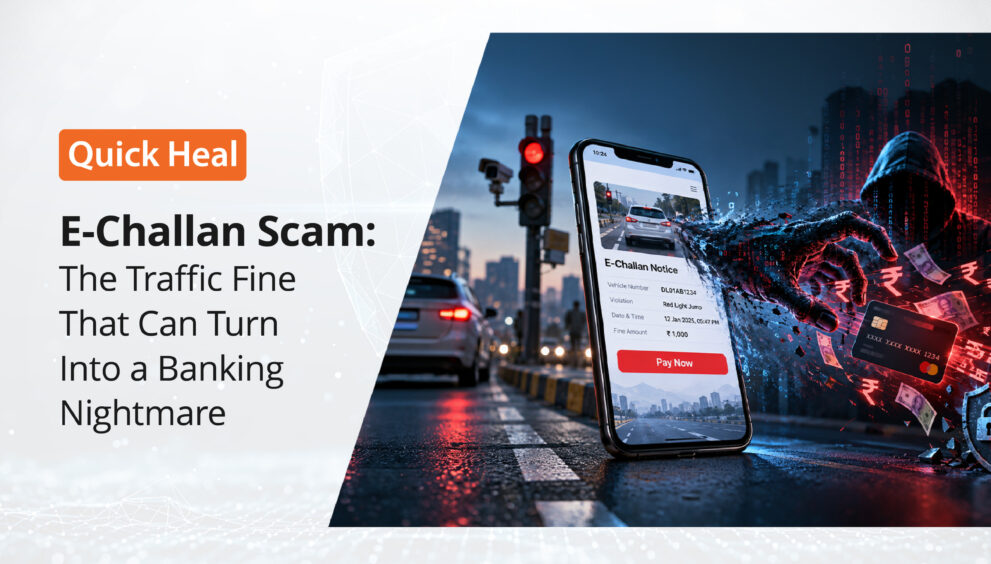
E-Challan Scam: The Traffic Fine That Can Turn Into a Banking Nightmare
- QuickHeal / 8 seconds
- October 15, 2026
- 0

Introduction
Imagine receiving an SMS on your phone:
“Your vehicle has an unpaid traffic challan. Pay immediately to avoid additional penalties.”
The message contains your vehicle number, a challan number and a link that appears to belong to a government traffic department.
It looks convincing.
You may even think:
“Maybe I actually received a challan. Let me check.”
You click the link.
A website opens that looks almost identical to an official government portal. It may display government logos, familiar colours, traffic-related terminology and a professional-looking payment page.
Sometimes, however, the trap takes a more dangerous form.
You are asked to download an application such as:
“RTO E-Challan.apk”
“mParivahan.apk”
“Traffic Challan.apk”
You install it.
Everything may appear normal.
Then, hours later, banking alerts begin arriving.
Money is being transferred from your account.
The traffic challan was never the real problem.
Your phone was the target.
Fake e-Challan scams combine social engineering, phishing, malicious applications and financial fraud into a single attack chain. The scam works particularly well because the subject is believable: traffic fines are real, vehicle information is real and government transport services are increasingly digital.
The uploaded source describes the same basic attack pattern: an unexpected challan message creates urgency, directs the victim to a fake portal or malicious application, and ultimately attempts to obtain financial or sensitive information.
In this blog, we examine how e-Challan scams work, why victims fall for them, what happens after a malicious APK is installed, the warning signs to watch for, recent cases, and what users should do if they encounter one.
Understanding the E-Challan Scam
An e-Challan scam is a form of cyber fraud in which criminals impersonate traffic police, RTOs or transport authorities and claim that a vehicle has an outstanding traffic violation.
The fraudulent communication may contain:
- A fake challan number
- The victim’s vehicle registration number
- A fake violation description
- A payment link
- A link to a fraudulent website
- An APK file
- A QR code
- A request for personal information
- A warning about penalties or licence suspension
The uploaded document notes that the objective may extend far beyond collecting the value of a small traffic fine. Attackers may instead be attempting to obtain access to the victim’s phone, banking information, OTPs or other sensitive data.
This makes the scam particularly dangerous.
The challan is the bait.
The device, credentials and money are the real targets.
How the Scam Begins
Step 1: The Unexpected Message
The attack generally begins with an SMS, WhatsApp message, email or another digital communication.
A typical message may claim:
“Traffic violation detected against your vehicle. Pay the pending challan immediately.”
Other variations may say:
- “Your e-Challan is pending.”
- “Your vehicle registration will be suspended.”
- “Pay the fine to avoid legal action.”
- “Your driving licence may be suspended.”
- “Your vehicle may be seized.”
- “Last reminder: Pay now.”
The message may include a vehicle number or other information that makes it appear personalised.
That small amount of accurate information can make the entire message appear legitimate.
Why Does This Scam Work?
The attack relies heavily on social engineering.
Cybercriminals are not necessarily trying to convince the victim that something extraordinary has happened.
They are trying to make a normal event feel urgent.
A traffic challan is believable.
A traffic penalty is believable.
An RTO notification is believable.
That makes the scam much more effective.
The attacker then adds urgency:
“Pay now.”
“Avoid suspension.”
“Final warning.”
The victim’s attention shifts from:
“Is this message genuine?”
to:
“How quickly can I resolve this?”
And that change in mindset is exactly what the attacker wants.
The “Official” Website Trap
Clicking the link may take the victim to a website designed to resemble a government portal.
The fraudulent page may copy:
- Government logos
- Traffic department terminology
- Colour schemes
- Fonts and layouts
- Challan search forms
- Payment screens
- Privacy statements
- Government-style disclaimers
The goal is not necessarily to create a technically perfect copy.
It only needs to look convincing for long enough to make the victim enter information.
The page may ask for:
- Vehicle registration number
- Mobile number
- Name
- Date of birth
- Driving licence details
- Aadhaar-related information
- Card details
- Banking information
- OTPs
The uploaded document highlights this fake-portal stage and explains that information entered into such pages can instead be collected by criminals.
The important rule
Never verify a challan by clicking the link inside an unsolicited message
Instead, open the official e-Challan service independently.
The official e-Challan portal currently carries its own warning about fraudulent websites and mobile applications impersonating e-Challan services. It advises users to access the service only through the official website/app and states that it does not request passwords, OTPs, payment details or sensitive personal information through calls, emails, messages or links.
The Malicious APK Trap
This is where the scam can become significantly more dangerous.
Instead of directing the victim only to a phishing website, criminals may send an Android application package:
RTO E-Challan.apk
or
mParivahan.apk
The file may be distributed through:
- SMS
- Telegram
- Malicious websites
- Social-media messages
The victim may believe that the application is necessary to view or pay the challan.
It isn’t.
A malicious APK can potentially contain malware designed to abuse the permissions granted to it.
Depending on the malware and permissions involved, attackers may attempt to:
- Read SMS messages
- Access notifications
- Monitor activity
- Capture sensitive information
- Abuse Accessibility services
- Interact with applications
- Steal banking credentials
- Intercept or obtain OTP-related information
- Maintain access to the compromised device
Google specifically identifies applications installed through internet-sideloading sources that request sensitive permissions such as READ_SMS, RECEIVE_SMS, NOTIFICATION_LISTENER and ACCESSIBILITY as high-risk because such permissions are frequently abused for financial fraud.
Google also warns that applications installed from unknown sources can put the device and personal information at risk.
This is why:
An unknown APK is not simply an unknown application. It can become a gateway into the mobile environment.
Why OTPs May Not Save You
Many people believe:
“Even if someone gets my banking details, they still need my OTP.”
That assumption can be dangerous on a compromised Android device.
Depending on the malware and the permissions granted, attackers may attempt to monitor notifications, access SMS messages or manipulate the device environment.
The result can be very different from a traditional phishing attack where the victim simply types an OTP into a fake webpage.
The attacker may instead be attempting to compromise the device on which the authentication process itself occurs.
This is one reason why a malicious APK can be significantly more dangerous than a simple phishing link.
From a Small Fine to a Large Financial Loss
The initial request may be for only a few hundred rupees.
That is deliberate.
A small payment request appears less suspicious.
But once the attacker obtains access to sensitive credentials or a compromised device, the potential financial impact can be much larger.
The uploaded document describes incidents in which fake challan applications were associated with losses ranging from several lakhs to more than ₹10 lakh.
Ahmedabad: ₹10.7 Lakh Loss
In April 2026, The Times of India reported that a 50-year-old Ahmedabad accountant installed an RTO E-challan.apk file received through WhatsApp after believing it was related to a traffic notice.
After entering his name and mobile number, unauthorized transactions followed. Police said the compromised access enabled attackers to obtain banking credentials and intercept OTPs. The reported loss was approximately ₹10.7 lakh, including instant loans taken in the victim’s name.
Pune: ₹3.98 Lakh Loss
In another Pune case reported in May 2026, a security guard received a message titled “RTO Challan” containing an APK file.
According to the police account reported by The Times of India, the file installed remote-access software, while the victim had also entered bank details into a form. The attackers subsequently obtained control of the phone and ₹3.98 lakh was transferred through two transactions.
These cases demonstrate an important point:
The amount mentioned in the original scam message tells you almost nothing about the potential financial impact.
A ₹500 “challan” can become a ₹5 lakh or ₹10 lakh problem when the real objective is device compromise.
The Attack Chain
The scam can be understood as a simple attack chain:
- Social Engineering
↓
- Fake Traffic Notification
↓
- Urgency / Fear
↓
- Malicious Link or APK
↓
- User Interaction / Installation
↓
- Permission Abuse or Credential Theft
↓
- Device / Banking Access
↓
- OTP or Authentication Interception
↓
- Unauthorized Transactions / Loans
The most important observation is that the financial transaction may be the final stage, not the beginning.
The attacker may spend considerable effort compromising the victim before attempting to move money.
Why Vehicle Details Make the Scam More Convincing
A common psychological trick is to include genuine-looking information.
For example:
“Vehicle KA01XX1234 has an unpaid challan.”
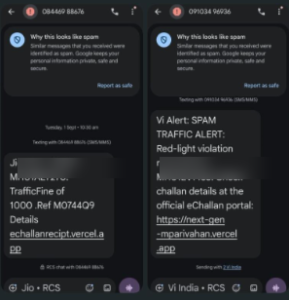
Figure: Examples of suspicious e-Challan SMS messages. Vehicle registration numbers have been blurred for privacy.
Seeing your actual vehicle number can immediately increase trust.
But the presence of accurate information does not prove that the message is genuine.
Attackers may obtain personal or vehicle-related information from publicly available sources, leaked databases, previous interactions, social engineering or other sources.
Therefore:
Personalisation is not authentication.
A message knowing your vehicle number does not make the link inside it trustworthy.
Red Flags to Watch For
Unexpected challan notification
You receive a traffic-fine message when you were not expecting one.
Do not click immediately.
Verify independently.
Pressure to act immediately
Watch for phrases such as:
- “Pay immediately”
- “Final notice”
- “Avoid arrest”
- “Licence suspension”
- “Vehicle seizure”
- “Registration cancellation”
Urgency is a classic social-engineering technique.
APK attachment
This should be treated as a major warning sign.
A traffic notification should not require you to install an APK received through WhatsApp or SMS.
Suspicious domain
Look carefully at the website address.
Attackers may use:
- Misspelled domains
- Extra words
- Random subdomains
- Lookalike domains
- Unusual domain extensions
- URL shorteners
Remember:
HTTPS does not mean a website is legitimate.
HTTPS encrypts the connection; it does not prove that the website belongs to the government.
Requests for sensitive information
Be extremely cautious if an unsolicited message asks for:
- Banking credentials
- Card information
- OTP
- UPI PIN
- Password
- Aadhaar information
- Remote-access permissions
Requests to enable unusual permissions
A fake challan application requesting access to SMS, notifications or Accessibility services should immediately raise suspicion.
The Safest Way to Check a Challan
Don’t use the message as your starting point.
Instead:
Step 1
Open your browser yourself.
Step 2
Navigate to the official e-Challan service.
Step 3
Check your challan using the information supported by the official portal.
Step 4
If a challan exists, proceed using the official service.
The official e-Challan system provides functionality for checking challan status and payment-related information.
The golden rule:
Don’t trust the link. Trust the independently verified destination.
What If You Have Already Installed the APK?
Do not panic, but do not ignore it either.
If you suspect that you installed a malicious application:
Disconnect the device
Disconnect mobile data/Wi-Fi if appropriate, particularly if you suspect active remote access.
Stop using banking applications on the potentially compromised phone
Avoid logging into additional financial accounts from the device.
Contact your bank immediately
Tell the bank that you suspect a cyber-fraud or device compromise.
Ask about securing accounts, cards and affected transactions.
Change important credentials
Use a trusted, clean device where possible.
Prioritise:
- Banking
- Payment services
- Important social accounts
Review installed applications and permissions
Look for unfamiliar applications and unusual permissions.
Preserve evidence
Do not immediately destroy every trace.
Keep:
- SMS
- WhatsApp messages
- Phone numbers
- URLs
- APK file
- Screenshots
- Transaction alerts
- Bank statements
- Application details
This information can help investigators.
Report the incident immediately
For financial cyber fraud in India, the National Cyber Crime Reporting Portal directs victims to the 1930 cyber-fraud helpline.
The Indian government’s Citizen Financial Cyber Fraud Reporting and Management System is specifically intended to facilitate rapid reporting and help stop fraudulent funds from being siphoned away. The government reported that, as of June 30, 2026, more than ₹11,158 crore had been saved through the system across more than 32.80 lakh complaints.
Speed matters.
The sooner a financial fraud is reported, the sooner banks and authorities can begin the relevant response process.
What Users Should Never Do
Never:
- Install an APK received unexpectedly through SMS or WhatsApp.
- Enter an OTP into a website opened from an unsolicited message.
- Share your UPI PIN.
- Share banking passwords.
- Grant Accessibility access to an unknown application.
- Give notification or SMS access to an unknown application.
- Assume a website is genuine because it contains government logos.
- Assume a message is genuine because it contains your vehicle number.
Let a threat of immediate penalties force you into making a rushed decision.
A Simple 10-Second Rule
When you receive an unexpected traffic message, remember:
STOP → VERIFY → ACT
STOP
Don’t click.
VERIFY
Open the official service independently and check whether the challan actually exists.
ACT
Only then make a payment or take further action.
Those few seconds can prevent hours, months or even years of financial and recovery-related problems.
How Anti-Fraud Technology Can Help
E-Challan scams demonstrate why modern fraud protection cannot rely entirely on users recognising suspicious messages.
A single campaign can combine:
- Social engineering
- Phishing
- Malicious URLs
- Fake websites
- Malicious APKs
- Credential theft
- Device compromise
- OTP interception
- Financial fraud
This creates multiple opportunities for security technologies to detect and disrupt the attack.
Solutions such as Quick Heal AntiFraud.AI can form an additional layer of protection by helping identify suspicious digital activity and fraud-related threats.
The key principle is defence in depth.
User awareness is one layer.
Device security is another.
Application security is another.
Fraud detection and transaction monitoring provide additional layers.
No single layer should be expected to stop every attack.
The uploaded material makes the same point: technology and user awareness work best together rather than treating either one as a complete solution.
The Bigger Picture: Why This Scam Keeps Working
The interesting part of the e-Challan scam is that attackers are not exploiting only technology.
They are exploiting human expectations.
People expect:
- Governments to send digital notifications.
- Traffic challans to exist online.
- Payments to happen digitally.
- Apps to simplify government services.
- Messages to contain links.
The attacker simply inserts himself into that legitimate digital workflow.
That makes the scam much harder to identify than an obviously suspicious “You won a lottery” message.
The scam doesn’t ask the victim to believe something impossible.
It asks the victim to believe something completely possible.
And then it adds urgency.
An Important Lesson for Everyone
The biggest lesson from e-Challan scams is not:
“Never trust an SMS.”
It is:
“Never allow an unsolicited message to control the way you verify information.”
If a message tells you:
“Click here to check.”
Don’t.
If it tells you:
“Install this application.”
Don’t.
If it says:
“Pay immediately.”
Stop.
Instead, independently open the service yourself.
This changes the attacker’s advantage.
The attacker controls the message.
The attacker may control the link.
The attacker may control the fake website.
But the attacker does not control the official verification process you reach independently.
Conclusion: The Fine Was Never the Real Threat
Cybercriminals are constantly looking for believable situations that can turn a moment of uncertainty into a moment of action.
The e-Challan scam is a perfect example.
It starts with something ordinary:
A traffic fine.
Then comes something familiar:
A government-looking message.
Then something urgent:
“Pay now.”
And finally, something dangerous:
A malicious link or application.
By the time the victim realises that the challan was fake, the attacker may already have moved beyond the original message and into the victim’s digital life.
Recent cases show that this is not merely a theoretical threat. Victims have reportedly lost lakhs of rupees after installing fake RTO/e-Challan applications.
The good news is that the attack often gives us several opportunities to stop it.
You can stop at the message.
You can stop at the link.
You can stop before installing the APK.
You can stop before granting permissions.
You can stop before sharing credentials.
And even after fraud occurs, rapid reporting can still matter.
So the next time a message appears saying:
“Your vehicle has an unpaid challan. Pay immediately.”
Don’t let the word “immediately” make the decision for you.
Take a breath.
Open the official service yourself.
Verify.
And remember:
A genuine challan can wait a few seconds for verification. A cybercriminal wants you to believe it cannot.
The most powerful anti-fraud tool is often not a sophisticated piece of technology.
It is the five seconds you take to verify before you trust.