


29
Oct
Oct

Fake Facebook Pages Using Your Business Name: How to Report Them and Get Them Removed
- QuickHeal / 1 day
- October 29, 2026
- 0

Imagine a customer searching for your business on Facebook. They find a page with your company name, logo, and photos. Everything looks familiar. They send a message asking about your services, place an order, or make a payment.
But there is one problem. The page is not yours.
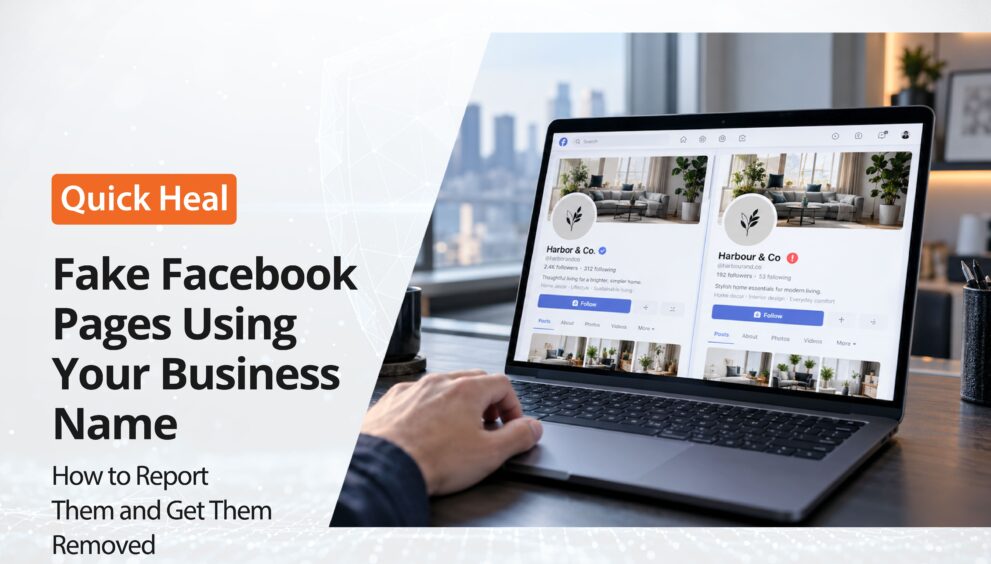
Fake Facebook pages can make it difficult for customers to distinguish between your actual business and someone pretending to represent it. These pages may copy your branding, publish misleading offers, or contact customers using your company’s identity.
If you have discovered a fake Facebook page of your business, you may be wondering what to do next. Can you report it? What evidence should you collect? And how can you request its removal?
The good news is that Facebook provides reporting options for pages that impersonate businesses. Tools such as Quick Heal Spotr can also help businesses identify potential fake profiles and manage removal requests.
Let’s understand how you can respond to a fake Facebook business page and take steps to protect your brand online.
How to Report a Fake Facebook Business Page
If you find a Facebook page impersonating your brand, you can report it directly to Facebook.
Follow these steps:
Step 1: Open the suspicious Facebook page
Visit the page you believe is impersonating your business. Confirm that you have the correct page before submitting a report.
Step 2: Open the reporting options
Click the three-dot menu or the available options on the page. Depending on the interface, you may see an option such as Report Page or Find support or report.
Step 3: Select the appropriate reason
Choose the option that best describes the problem, such as a page pretending to represent another business or organization.
Step 4: Follow the instructions
Complete the prompts and submit your report. Explain the impersonation clearly and provide any requested information.
Step 5: Keep a record of your report
Save the report confirmation and any available reference details. Check for updates and respond if Facebook requests additional information.
Facebook’s reporting options and interface may change over time. Follow the instructions displayed in the current interface. You can also refer to the Facebook Help Center’s impersonation guidance.
Remember that submitting a report does not guarantee immediate removal. Facebook reviews reports according to its policies and determines what action, if any, is appropriate.
What Evidence Should You Collect Before Reporting?
Providing clear information can help you explain why a page appears to be impersonating your business.
Before submitting your report, collect:
- The fake page URL: Copy the complete link so you can identify the exact page.
- Screenshots: Capture its name, profile picture, cover image, and suspicious posts.
- Your official business details: Keep your genuine Facebook page, website, and published contact information available for reference.
- Examples of copied content: Record any posts, photographs, or branding that appear to have been reused.
- Customer complaints: If customers have received misleading messages or payment requests, preserve relevant evidence with their permission.
Keep this information organised so you can refer to it during follow-ups. Avoid sharing customers’ private information publicly while warning others about the fake page.
What If Facebook Does Not Remove the Fake Page?
Reporting a page is an important first step, but you may still need to manage the situation if the page remains active.
Here are some actions you can take:
Follow up on your report-Review any available reporting updates and provide additional information if requested.
Warn your customers- Publish a clear notice on your official channels explaining that an unauthorised page is using your business identity. Include links to your genuine website and social accounts.
Ask customers to report the page- People who encounter the impersonating page can report it through Facebook’s reporting options as well.
Explore the relevant intellectual property reporting process –If the page misuses your registered trademark or copyrighted material, review Facebook’s applicable intellectual property reporting options.
Keep monitoring for duplicates-A page may be removed while another similar page appears later. Periodic checks can help you identify potential impersonation attempts.
The key is to treat brand protection as an ongoing activity rather than a one-time reporting task.
How Quick Heal Spotr Can Help Businesses Handle Fake Profiles
Keeping track of fake profiles, copied content, and other forms of online identity misuse can be challenging for small businesses. Quick Heal Spotr for Small Businesses brings monitoring and response tools together in one place, helping businesses identify potential risks and understand what action they can take.
Here is how Spotr can help:
1. Identify Potential Fake Profiles
Spotr looks for profiles that use your business name, photos, or other identifying details to mimic your brand. You can also enter a profile handle using the Scan for Fake Profile feature to view a match percentage indicating how likely the profile is to be a duplicate.
2. Review Findings on Your Dashboard
Spotr’s monitoring summary displays counts of current fake profile, copied content, and data leak findings. You can also check scan progress to see which actions are completed, in progress, or queued.
3.Report Suspicious Accounts and Request Removal
If you identify a suspected fake profile, Spotr’s Report Account feature lets you report it to the platform where it appears. The Request Removal feature provides guidance on asking the platform to remove a fake account or copied content.
4.Let Spotr Handle Removal Requests
If you need assistance with the removal process, Let Us Handle It allows you to use credits to let Spotr file a removal request and manage follow-ups. A Letter of Authorization can be completed and uploaded when Spotr needs authorisation to act on behalf of your business or its owner.
How to Prevent Future Facebook Page Impersonation
You cannot prevent every fake page from being created, but you can make it easier to spot suspicious activity and help customers recognise your genuine business.
- Monitor your brand name: Search for your business name and common variations periodically.
- Keep official details consistent: Use recognisable branding and current contact information across your website and social media accounts.
- Tell customers which pages are genuine: Maintain a list of your official social media links on your website.
- Review suspicious activity promptly: Investigate reports of fake offers, unusual messages, or unauthorised use of your branding.
- Use monitoring tools: Consider tools such as Quick Heal Spotr to help identify potential fake profiles and manage removal requests.
Conclusion
Finding a fake Facebook page using your business name can be frustrating, particularly when customers may mistake it for your genuine account.
Start by documenting the suspicious page, reporting it through Facebook’s official channels, and keeping your customers informed. Continue monitoring your online presence, as reporting one page does not guarantee that similar pages will not appear again.
With Quick Heal Spotr, businesses can identify potential fake profiles, report suspicious accounts, request removals, and manage follow-ups through one platform.
Your business’s online identity is an important part of customer trust. Taking a proactive approach to monitoring and reporting impersonation can help you respond when someone attempts to misuse it.