

05
Oct
Oct

Free vs Paid Antivirus: Which Protection Is Better for Your Laptop?
- QuickHeal / 1 minute
- October 5, 2026
- 0

Table of Contents
- Free Vs Paid Antivirus: What Is The Difference?
- What Does Free Antivirus Usually Offer?
- What Does Paid Antivirus Software Offer?
- Free Vs Paid Antivirus: A Feature Comparison
- Is Free Antivirus Enough For A Laptop?
- When Should Users Consider Paid Antivirus?
- How To Choose The Right Antivirus Protection
- Quick Heal Antivirus Options
- Conclusion
Choosing antivirus software for a laptop often comes down to one question: is a free solution enough, or is it worth paying for more features?
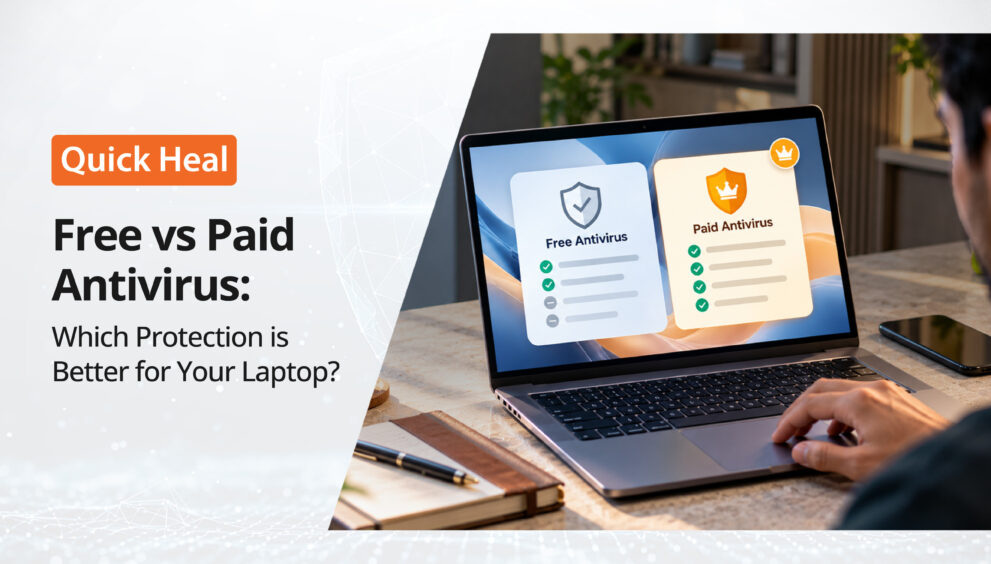
The free vs paid antivirus debate is not simply about whether one costs money and the other does not. Both can provide useful security, but they may differ in features, coverage, support and the level of protection they are designed to offer.
For laptop users in India, understanding these differences can make it easier to decide whether a free antivirus for laptop use is sufficient or whether paid antivirus software makes more sense.
Free Vs Paid Antivirus: What Is The Difference?
The basic purpose of antivirus software is to detect and help block malicious threats. This can include viruses, malware, suspicious files and other potentially harmful activity.
A free antivirus for laptop use can provide a basic layer of security without requiring a subscription. It may be suitable for users with relatively simple computing habits and limited security requirements.
Paid products generally build on this foundation by offering additional security features, broader protection and sometimes coverage for multiple devices.
This does not mean every paid product provides the same features, or that every free product offers the same level of protection. The free vs paid antivirus comparison needs to consider what each specific product actually includes.
What Does Free Antivirus Usually Offer?
Free antivirus products can be useful for users who want basic antivirus protection without paying for a subscription.
Depending on the product, free versions may include features such as:
Malware scanning: The software can scan files and applications for known threats.
Real-time protection: Some free products monitor activity and attempt to identify threats as they appear.
Basic web protection: Certain free products may provide protection against malicious websites or downloads.
Regular security updates: Antivirus software relies on updated threat information to identify newer threats.
For someone who mainly uses a laptop for basic browsing, documents and familiar applications, these features may provide a useful security baseline.
However, free versions may have fewer advanced features than their paid counterparts. Some may also limit the number of devices covered or offer additional features only as part of a premium subscription.
What Does Paid Antivirus Software Offer?
The biggest difference in the free vs paid antivirus comparison is usually the breadth of features rather than the basic concept of antivirus protection.
Paid antivirus software can include additional layers designed to protect different aspects of a user’s digital activity.
These may include:
Ransomware protection: Helps protect files and systems from ransomware-related threats.
Phishing and browsing protection: Helps identify potentially dangerous websites and fraudulent links.
Email protection: Adds another layer of security against malicious content delivered through email.
Safe banking: Some security suites include dedicated protection for online banking and financial transactions.
Privacy features: Depending on the product, paid plans may include features related to webcam protection, Wi-Fi security, identity protection or data breach monitoring.
Parental controls: Some premium products allow families to manage or regulate children’s online activity.
The exact combination varies by provider and plan, so users should check the feature list before making a purchase.
Free Vs Paid Antivirus: A Feature Comparison
Feature | Free Antivirus | Paid Antivirus Software |
Basic virus protection | Usually available | Available |
Malware protection | Usually available | Available |
Real-time protection | May be available | Commonly available |
Browsing protection | Depends on product | Often included |
Ransomware protection | May be limited or unavailable | Often included |
Safe banking | Limited availability | Available in some plans |
Email protection | Depends on product | Available in some plans |
Parental controls | Less common | Available in some suites |
Privacy and identity features | Usually limited | More commonly available |
Multi-device coverage | Limited or unavailable | Available with selected plans |
Customer support | Varies | Often broader |
The table highlights an important point in the free vs paid antivirus discussion. The distinction is not simply free versus premium. It is about the range of security needs a product is designed to address.
Is Free Antivirus Enough For A Laptop?
For some users, a free antivirus for laptop protection may be adequate. However, the answer depends on how the laptop is used.
A laptop used mainly for offline documents and familiar websites may have different security requirements from one used for online banking, shopping, work, gaming and frequent downloads.
The number of online activities also matters. A user who regularly opens email attachments, downloads files from different sources or visits unfamiliar websites may benefit from broader antivirus protection.
Another factor is the information stored on the laptop. A device containing sensitive work documents, personal information or financial data may warrant a more comprehensive approach to security.
Therefore, there is no universal answer in the free vs paid antivirus debate. The right level of protection depends on the user’s risk exposure and requirements.
When Should Users Consider Paid Antivirus?
There are several situations where paid antivirus software can be worth considering.
Online banking and payments: Users who frequently access financial services from a laptop may prefer plans that include safe banking or transaction-focused protection.
Work and professional use: A laptop containing business documents, client information or other important files may require protection beyond basic malware scanning.
Frequent downloads: Users who regularly download applications, documents or media from different sources may benefit from additional web and file protection.
Family use: When multiple people use the same laptop, parental controls and broader browsing protection can become useful.
Multiple devices: Some paid plans can cover multiple computers and other supported devices under one subscription.
Higher security requirements: Users who want additional protection against ransomware, scams, phishing and privacy threats may find a broader security suite more suitable.
The important consideration is not simply whether a product is paid. It is whether the additional features address actual security needs.
How To Choose The Right Antivirus Protection
When comparing free vs paid antivirus options, several factors can help narrow down the choice.
Check the protection offered: Look beyond the product name and review the actual security features.
Consider laptop usage: Banking, work, shopping, gaming and frequent downloads can all influence security requirements.
Look at device coverage: A single-device plan may be enough for one laptop, while households with multiple devices may benefit from multi-device protection.
Check system requirements: Security software should be compatible with the laptop’s operating system and hardware.
Review renewal terms: Paid antivirus subscriptions generally need to be renewed. Understanding the renewal process and pricing can prevent surprises later.
Avoid running multiple antivirus products simultaneously: Installing multiple antivirus programs on the same computer can cause conflicts or system issues. Quick Heal’s documentation also advises removing existing antivirus software before installing its products.
Quick Heal Antivirus Options
Quick Heal offers several Windows security products with different feature sets, allowing users to select protection based on their requirements.
Quick Heal AntiVirus Pro provides core security features including virus, malware, browsing and ransomware protection. Its feature set also includes scam protection and smart scanning.
Quick Heal Internet Security adds features such as safe banking, email protection, Wi-Fi scanning and smart parenting alongside core security features.
Quick Heal Total Security offers a broader collection of features, including safe banking, ransomware protection, scam protection, email protection, Wi-Fi scanning, smart parenting and Dark Web Monitoring 2.0.
The latest Quick Heal product documentation also shows continued development of features such as Security Intelligent Assistant and enhanced Dark Web Monitoring in its newer versions.
These options illustrate why the free vs paid antivirus question is ultimately about matching protection to usage rather than choosing based only on price.
Conclusion
The free vs paid antivirus decision depends on what a laptop is used for and how much protection is required.
A free antivirus for laptop users can provide a useful basic security layer for people with straightforward requirements. However, paid antivirus software can offer broader protection through features such as ransomware protection, safe banking, phishing protection, email security, privacy tools and parental controls.
For users who regularly bank, shop, work, download files or store sensitive information on a laptop, a more comprehensive antivirus protection plan may provide additional security features worth considering.
The most practical approach is to compare the features, device coverage and terms of individual products. That makes the free vs paid antivirus choice a matter of matching the right protection to the laptop’s actual needs.