
30
Jul
Jul

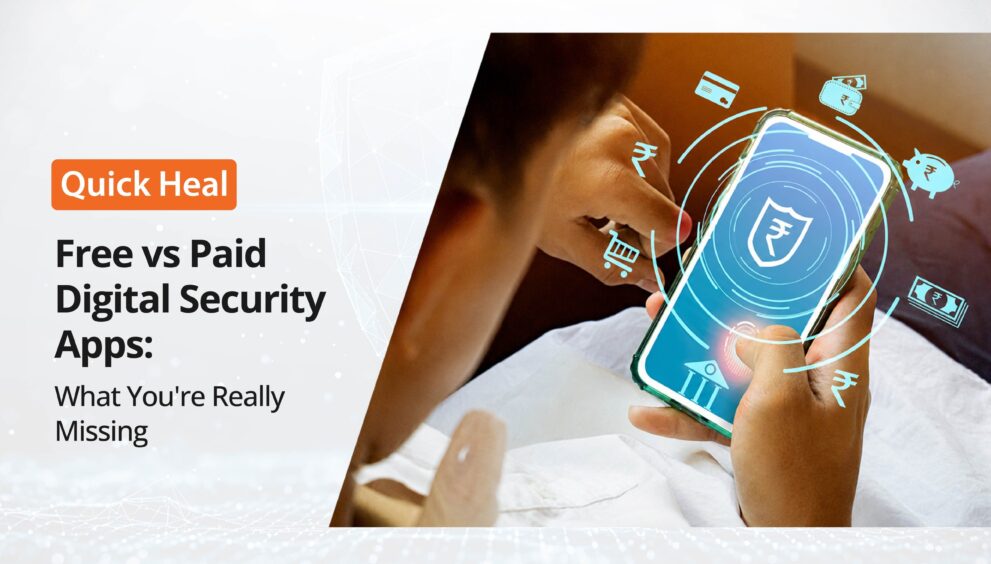
Free vs. Paid Security App: What You’re Really Missing
- QuickHeal / 2 months
- July 30, 2026
- 0

Table of Contents
- What Free Security Apps Cover
- What Paid Security Apps Add
- What You’re Really Missing with Free Security Apps
- Why Security Choices Matter More Now
- Is Free Antivirus Enough?
- Free vs Paid Security App Comparison
- How to Choose the Best Paid Security App
- Conclusion
- Frequently Asked Questions
The decision between a free and a paid security app boils down to one question: is free protection enough? Many users assume basic antivirus is sufficient until they encounter phishing attacks, malicious downloads, identity theft, or financial fraud. The reality is that cyber threats have become far more complex, targeting everyday activities such as online banking, shopping, and remote work.
The need for stronger protection is evident in India’s threat landscape. The India Cyber Threat Report 2025 recorded 369.01 million malware detections across 8.44 million endpoints, with Android malware accounting for 42% of all detections. CERT-In also handled over 29.44 lakh cybersecurity incidents in 2025, illustrating the growing scale of digital threats. While free security apps offer basic protection, paid solutions are intended to address a much broader range of modern cyber risks.
What Free Security Apps Cover
A free security app provides a basic layer of protection and is often suitable for users with minimal digital activity. Most free apps include:
- Basic malware detection
- Manual or scheduled virus scans
- Limited real-time protection
- Device health monitoring
- Basic security updates
For users who mainly browse trusted websites and rarely download files, this level of protection may appear sufficient. However, most free solutions stop at detecting known threats and often lack the advanced capabilities needed to defend against today’s evolving attacks.
What Paid Security Apps Add
The biggest difference between free and paid security apps is proactive protection. Premium security apps generally include:
- Real-time malware monitoring
- Anti-phishing and malicious website protection
- Safe banking features
- Ransomware protection
- Privacy and identity protection
- Anti-theft capabilities
- Technical support
- Multi-device coverage
- Automatic security updates
These additional layers become especially important for people who frequently use digital payments, shop online, store sensitive documents, or work remotely.
What You’re Really Missing with Free Security Apps
Many users believe they are only paying for “extra features,” but the biggest gaps are often invisible until something goes wrong.
Limited protection against phishing
Modern cybercriminals increasingly rely on phishing websites and fake login pages instead of traditional malware. Free security apps often provide limited protection against these attacks.
Weak privacy protection
Free apps may offer basic malware scanning but usually lack privacy monitoring, identity protection, secure browsing, or advanced web protection.
Minimal support
If your device is compromised, many free products provide little or no customer assistance, leaving users to resolve security incidents independently.
Delayed protection
Premium products generally receive faster threat intelligence updates and stronger behavioural detection, helping identify new attacks before they become widespread.
Why Security Choices Matter More Now
Cybersecurity is not only about preventing viruses but also about the trade-offs built into how these apps are made and monetised. In one study of 1,505 Google Play app pairs, 96.5% of free app versions included advertising libraries, compared with 49.1% of paid versions, showing that free apps often rely more heavily on ad-based ecosystems. Another broader analysis of 5,877 free and paid app pairs found that paying does not always guarantee major privacy gains, which adds an important layer of nuance to the debate. In other words, free apps may come with a more visible monetisation footprint, but paid apps are not automatically perfect on privacy either.
For Indian users, the urgency is even clearer. Quick Heal reported 102.8 million cyber threats detected in India in Q2 2023, and its India threat reporting covers attacks across states, cities, and industries, making the risk highly local and widespread. Quick Heal also warned that fake mobile antivirus apps had already crossed 100,000+ downloads, which is a strong reminder that “free” can sometimes become part of the problem rather than the solution.
Is Free Antivirus Enough?
The answer depends on how you use your device. A free antivirus may be enough if you:
- Browse trusted websites only
- Rarely download files
- Do not perform online banking
- Store little personal information
However, a paid security app is generally a better choice if you:
- Use UPI, internet banking, or credit cards
- Shop online regularly
- Work remotely
- Store business or personal documents
- Use multiple devices
- Want stronger protection against phishing and identity theft
For most users today, cybersecurity extends beyond virus detection, making comprehensive protection increasingly valuable.
Free vs Paid Security App Comparison
Feature | Free Security App | Paid Security App |
Malware detection | Basic | Advanced |
Real-time protection | Limited | Yes |
Anti-phishing | Limited | Comprehensive |
Safe banking | No | Yes |
Privacy protection | Basic | Advanced |
Ransomware protection | Limited | Yes |
Technical support | Minimal | Available |
Multi-device protection | Rare | Common |
Security updates | Basic | Continuous |
How to Choose the Best Paid Security App
When opting for the best paid security app India has to offer, price should be only one part of the decision. Consider solutions that provide:
- Strong malware and phishing protection
- Behaviour-based threat detection
- Safe banking and payment protection
- Privacy and identity features
- Low impact on device performance
- Regular threat intelligence updates
- Reliable customer support
- Protection across multiple devices
A trusted cybersecurity provider with a proven track record is generally a safer choice than unknown free applications. Quick Heal Total Security combines these capabilities in a single platform, helping users stay protected against today’s evolving cyber threats.
Conclusion
The free vs. paid security app debate is ultimately about risk rather than features. Free security apps provide a useful starting point for basic protection, but they often leave gaps in areas such as phishing prevention, privacy, identity protection, and advanced threat detection.
Since cyber threats continue to evolve, comprehensive protection becomes more important for users who bank, shop, work, and communicate online. Quick Heal Total Security together with AntiFraud.AI helps provide broader protection against malware, phishing websites, malicious downloads, fake applications, and online fraud attempts. Combined with safe digital habits, it offers an additional layer of defence for today’s ever-more-connected digital world.
FAQs
Is a free security app enough for everyday use?
A free security app can provide basic protection against common malware and viruses, making it suitable for users with minimal online activity. However, if you regularly use online banking, UPI payments, shop online, or store sensitive information on your devices, a paid security solution offers stronger protection against phishing, ransomware, identity theft, and other advanced cyber threats.
What is the biggest difference between a free and a paid security app?
The biggest difference is proactive protection. While free security apps generally focus on detecting known threats, paid security apps include advanced features such as real-time threat monitoring, anti-phishing protection, ransomware defence, safe banking, privacy tools, multi-device security, and dedicated customer support.
Are free antivirus apps safe to use?
Many well-known free antivirus apps are legitimate and offer basic protection. However, users should download them only from trusted providers and official app stores. Fake security apps have been known to impersonate genuine antivirus software, making it important to verify the developer before installing any application.
Is a paid security app worth the cost?
For users who frequently perform digital transactions, work remotely, or manage sensitive personal and financial information, a paid security app can be a worthwhile investment. The additional security features help reduce the risk of phishing attacks, malicious websites, ransomware, and identity-related threats that basic free solutions may not adequately address.
How do I choose the best paid security app?
Look for a solution that offers comprehensive malware protection, behaviour-based threat detection, anti-phishing capabilities, safe banking features, ransomware protection, regular security updates, low system impact, reliable customer support, and protection across multiple devices. Choosing a trusted cybersecurity provider with a strong track record can provide greater confidence in your overall digital security.