

03
Sep
Sep

Marketplace Scams & How to Avoid Them
- Quick Heal / 1 year
- September 3, 2025
- 0

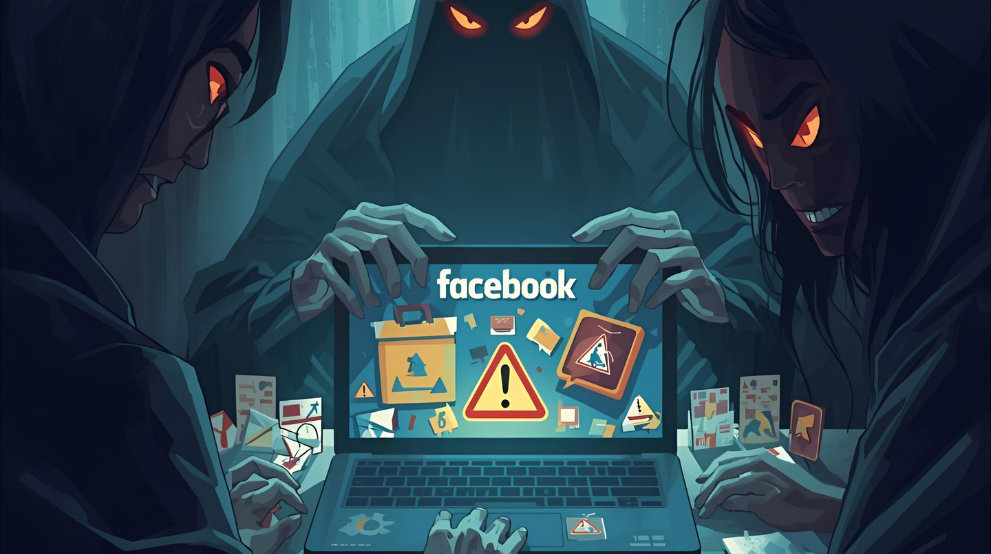
Facebook Marketplace scams remain a threat in 2026, with fake listings and payment tricks putting buyers’ and sellers’ money and personal data at risk. While buying and selling can feel as simple as a chat, scammers exploit that convenience to deceive users. Facebook Marketplace has made buying and selling feel as simple as a chat. That convenience has a cost when criminals use the same tools to trick people. This guide explains how marketplace scams work, the patterns to watch, and practical steps that help you stay safe as a buyer or a seller.
What Are Marketplace Scams?
Marketplace scams are tactics that push someone into paying for goods or services that never arrive, or into sharing sensitive data. These tricks appear across Facebook Marketplace, OLX, Quikr, eBay, Amazon, and Instagram. Scammers exploit trust and speed. They copy photos, fake receipts, and spoof profiles to look genuine, then apply pressure. Once you recognise the patterns, you can spot scams on Facebook early.
For example, a scammer might list a smartphone at an unusually low price and request an advance payment to reserve it. Once the buyer pays, the scammer stops responding and the phone never arrives. Sellers can also be targeted: a fake buyer sends an edited payment screenshot and pressures the seller to hand over the item before checking whether the money has reached their account.Recognising these tactics and verifying payments independently can help buyers and sellers spot Facebook Marketplace scams before losing money or goods.
Process of Marketplace Scams in 2026
- Build trust using misleading details: They use copied product photos, fake reviews, or stolen profiles. Conflicting item details or refusal to provide a fresh photo can suggest the listing is fraudulent.
- Move you to another channel: They ask you to leave Messenger and open a payment or courier link; a website asking for your Facebook password or card details to continue the transaction is a warning sign.
- Pressure you to act quickly: They claim another buyer is ready or the deal expires immediately; refusing you time to inspect the item or verify payment makes the urgency suspicious.
- Ask for an advance payment: They demand a booking amount, delivery charge, or refundable deposit before you can inspect the item; repeated payment demands without proof suggest a scam.
- Request sensitive information: They ask for an OTP, password, or UPI PIN to verify or receive payment; these details can authorise transactions or give scammers access to your accounts.
- Send fake payment confirmation: For fake buyers, they share a screenshot to sellers claiming payment is complete and demand the item immediately; if the money does not appear in your own account, do not hand it over.
- Disappear or introduce extra charges: After you pay, they stop responding or demand unexpected insurance, courier, or release fees; withholding the item while repeatedly asking for more money is a strong scam warning.
Types of Marketplace Scams
Here are the common types of scams:
1.Fake Product Listings
A classic move is the too-cheap item that looks perfect. Stolen images, vague descriptions, and new profiles are common tells. The scammer asks for a deposit to hold the item, then vanishes. These are plain marketplace scams dressed as a bargain.
2.Overpayment Scams
You agree on a price, then the buyer sends a cheque or online payment for more than the amount. They ask you to refund the difference. Days later, the original payment fails, leaving you out of pocket. Treat any excess payment as a red flag and wait for funds to clear.
3.Rental & Housing Scams
Fraudsters post photos of flats they do not own. They claim to be out of town and request an advance to “secure” the viewing. The property either does not exist or belongs to someone else. If you cannot see the property and the paperwork first, pause.
4.Phishing Links and Fake Payments
Links that say “confirm delivery”, “verify address”, or “claim buyer protection” often lead to cloned sites. These pages capture card data and passwords. Always check your actual balance inside the app or with your bank. Screenshots are not proof. Strengthen device hygiene with regular updates, a password manager, and Total Security for real-time protection during chats and checkouts.
5.Counterfeit or Stolen Goods
Counterfeit trainers, branded bags, and electronics are common traps in Facebook buying scams. Items may arrive but be of poor quality or stolen. If the price is far below normal, assume risk. Ask for serial numbers, invoices, and close-up photos. Meet in person and test devices before paying. For a simple buyer checklist that reduces risk on any listing, work through Avoiding Online Shopping Scams before you pay.
6.Warning Signs of a Facebook Marketplace Scam
Watch for pressure to move chats to third-party apps, refusal to meet, requests for QR-code payments, or shipping-only deals. New profiles with stock photos, no local activity, and repetitive replies are also tells. If the conversation feels rehearsed or rushed, step back. Searching the listing text often reveals clones used across regions, which is a strong indicator of scam Facebook Marketplace behaviour. Scan your phone for malicious links and unsafe apps. Android users can run Security for Android to check downloads and browsers after a incident.
Tips to Avoid Facebook Marketplace Scammers
This section gathers practical habits that reduce risk and keep transactions simple.
1.Verify Profiles Before Transacting
Open the profile and read the activity. Look for years on the platform, groups in common, and a history of posts. Ask basic questions about the item. Real sellers know details like purchase year, reason for sale, and minor flaws. If answers are robotic, you might be speaking with fake buyers on Facebook Marketplace.
2.Stick to Facebook’s Secure Payment Options
Use the platform’s checkout or trusted methods that offer chargeback rights. Avoid gift cards, wire transfers, and unknown links. Confirm payment inside your account rather than believing a message or a receipt image. These habits block many Facebook Marketplace scams before money moves.
3.Meet in Public, Safe Locations
Choose well-lit public spots like police station lobbies, busy cafés, or marketplace community meet points. Bring a friend for vehicles or high-value items. Test what you are buying. Safe meeting routines make scams on Facebook less likely to succeed.
4.Don’t Share Personal or Financial Details
No buyer or seller needs your full address, bank details, card PIN, or one time passwords. Keep conversations inside the app and decline requests for extra verification. If someone threatens to report you unless you pay a fee, that is manipulation. Report the chat and move on.
5. Inspect the Item Before Paying
Check the item’s condition, features, and working order before completing the purchase. For electronics, test charging, the screen, and basic functions. Avoid advance payments to “reserve” an item you have not inspected. If the seller refuses an inspection or rushes you to pay, pause the transaction.
6. Never Scan a QR Code or Enter a UPI PIN to Receive Money
If you are selling on Facebook Marketplace, receiving a UPI payment does not require entering your UPI PIN or approving a payment request. A buyer asking you to scan a QR code, pay a verification fee, or make a “refundable” transfer may be trying to take money from your account. Verify the credit directly in your banking or payment app before handing over the item.
What to Do If You’ve Been Scammed
Act fast. Speed improves the chance of recovery and helps protect others.
- Gather evidence. Save the listing, chat history, payment references, phone numbers, and profile links.
- Report inside Facebook Marketplace using the Report button on the profile and on the listing.
- Contact your bank or card provider and request a chargeback or hold. Explain that this relates to scams on Facebook.
- File a cybercrime complaint with local authorities.
Warn your community groups so others do not fall for the same account. Remove access tokens if you clicked suspicious links and update passwords.
- If you handed over identity documents, enable credit monitoring and place a fraud alert with your bureau.
Conclusion
Online classifieds connect neighbours and make decluttering easier. The same features also create room for deception. Learn the markers, check profiles, meet safely, and pay through secure routes. With a routine, you can enjoy Facebook Marketplace while staying clear of the traps that trip others.
Frequently Asked Questions
- How do I avoid being scammed on Facebook Marketplace?
Start with simple checks. Verify the profile, compare prices with similar listings, and insist on secure payment options. Prefer local exchanges in public places. Keep communication within the app and decline pressure. These habits reduce exposure to facebook marketplace scams.
- How do you know if a buyer is scamming you on Facebook Marketplace?
Watch for overpayments, courier pick up before payment, QR code requests, and urgency. If the buyer refuses to meet, dodges questions, or pushes to move chats elsewhere, treat it as a warning. When patterns match scam facebook marketplace stories you have read, stop the transaction.
- What should I do if I get scammed on Facebook Marketplace?
Do not wait. Report the listing and the profile, contact your bank, and raise a cybercrime complaint. Save all messages and receipts as evidence. Update passwords if you clicked links. Tell friends and groups so they can report the same account.
- How can I protect myself from scams on Facebook Marketplace?
Use the platform’s tools, trade in public spaces, and pay only through methods that offer protection. Never share OTPs or full bank details. Slow down, check the facts, and follow the guidance in this article.