26
Aug
Aug

Mobile Antivirus: Do You Really Need Security Software on Your Phone?
- QuickHeal / 1 month
- August 26, 2026
- 0

Table of Contents
- Why Mobile Security Matters
- What Can Go Wrong Without Mobile Antivirus?
- Common Mobile Threats to Watch
- Real-World Example: A Malicious APK Can Empty a Bank Account
- Is Built-In Phone Security Enough?
- When Does Mobile Antivirus Make Sense?
- How to Improve Smartphone Security
- What to Do If a Phone Is Compromised
- Final Thoughts
The phone is almost always within reach. A food delivery is tracked on it, a UPI payment is made during lunch and a work document is downloaded before a meeting. Then a familiar-looking message arrives: “Your parcel could not be delivered. Update the details here.” One tap later, a suspicious app asks for access to SMS messages and notifications.
This is where mobile antivirus can make a difference. Smartphones now hold banking credentials, passwords, private photos and access to critical accounts, making them valuable targets for cybercriminals. While built-in security features provide an important layer of defence, they may not cover every threat. Malicious apps, phishing links, spyware and banking malware can still exploit unsafe downloads or risky behaviour.
So, does every smartphone really need antivirus for mobile? The answer depends on how the device is used, what risks it faces and how effectively its existing security features are configured.
Why Mobile Security Matters
Smartphones have become attractive targets because they combine sensitive information with constant connectivity.
A compromised phone can expose:
- Banking and payment credentials
- OTPs and notification content
- Passwords and saved browser data
- Personal photographs and documents
- Contacts and messages
- Location and device information
CERT-In continues to publish warnings about Android vulnerabilities, malicious applications and social engineering campaigns targeting mobile users. In May 2026, for example, CERT-In reported a high-severity Android vulnerability that could potentially allow remote code execution on affected devices.
The risk is therefore not limited to downloading an obviously suspicious app. Unpatched software, excessive permissions and deceptive links can all create opportunities for attackers.
What Can Go Wrong Without Mobile Antivirus?
Not every smartphone user needs the same level of protection. However, certain behaviours increase exposure considerably.
Risky behaviour | Potential consequence |
Installing APKs from messaging apps | Malware infection |
Granting unnecessary permissions | Data or device access |
Clicking unknown links | Phishing or malware |
Using outdated software | Exploitation of vulnerabilities |
Installing unofficial apps | Spyware or banking malware |
Ignoring security warnings | Increased exposure to threats |
Someone who downloads apps exclusively from trusted stores, keeps the phone updated and avoids suspicious links already has several important safeguards in place.
However, those safeguards do not eliminate every risk.
Common Mobile Threats to Watch
Malicious Apps
Malware can disguise itself as a PDF reader, game, utility tool or government application. Once installed, it may request access to SMS, notifications, accessibility services or other sensitive features.
Some mobile malware is specifically designed to intercept OTPs, steal credentials or monitor activity.
Phishing
A fake banking, shopping or payment website can look almost identical to the real service. Once credentials are entered, the information goes directly to the attacker.
This is why phishing protection remains important even when a phone has strong built-in app security.
Banking Malware
Banking malware can overlay fake login screens on genuine financial applications or monitor device activity. The objective is often straightforward: capture credentials and facilitate financial theft.
Spyware
Spyware can secretly monitor activity, collect personal information or capture sensitive data. It can be particularly difficult to identify because the device may continue functioning normally.
Ransomware
Although less common on phones than on PCs, mobile ransomware can lock files or devices and demand payment for access.
Real-World Example: A Malicious APK Can Empty a Bank Account
The threat is not hypothetical.
In May 2026, a 56-year-old teacher in Pune reportedly lost ₹9.4 lakh after receiving a malicious APK disguised as a pension-related document. The file arrived from an unidentified number and was installed on the victim’s phone.
CERT-In has also warned about an Android malware campaign impersonating RTO and e-Challan notifications. Reported malicious files included names such as “RTO Challan.apk” and “MParivahan.apk”. Once installed, the malware could steal sensitive financial information and facilitate unauthorised transactions.
These incidents highlight an important point: the threat often begins with social engineering, not sophisticated hacking.
Is Built-In Phone Security Enough?
Modern smartphones already include several useful security features. These may include app screening, permission controls, secure browsing warnings, device encryption and automatic security updates.
They provide a strong baseline, particularly when users keep the operating system updated and download applications through official channels.
However, built-in security does not mean a device is completely protected.
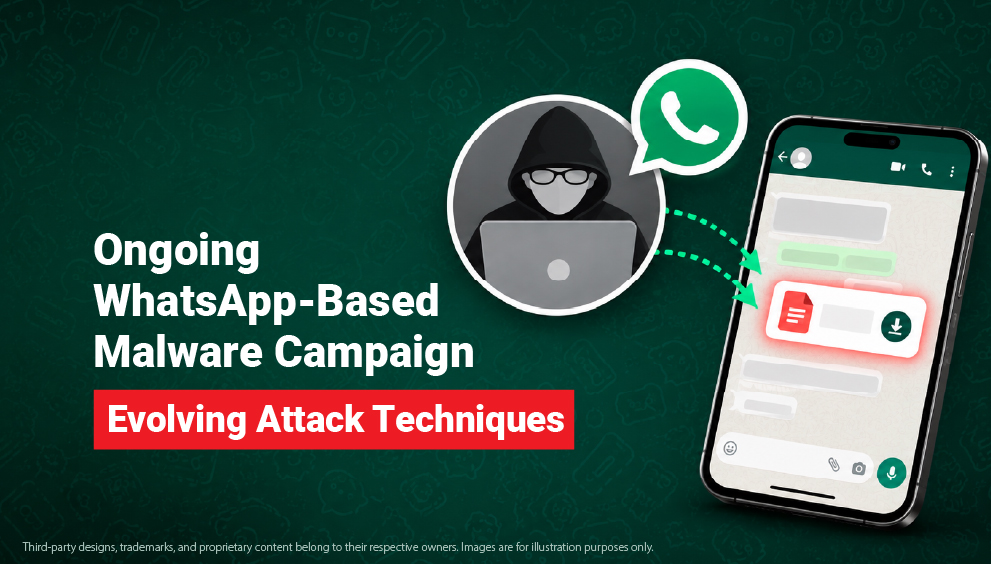
Consider a user who receives a convincing WhatsApp message containing an APK. If the user manually downloads and installs the file while approving requested permissions, the attack is partly enabled by user action.
A layered approach can therefore be more effective.
When Does Mobile Antivirus Make Sense?
A mobile antivirus can be particularly useful for people whose digital behaviour creates greater exposure.
It may be worth considering when a user:
- Frequently downloads files or applications.
- Uses the phone for banking and financial transactions.
- Receives work documents from multiple sources.
- Frequently uses public networks.
- Has children using the same device.
- Wants additional protection against malicious applications.
- Uses Android devices with extensive app permissions.
For users with relatively cautious habits, built-in security combined with regular updates may provide a reasonable baseline. Antivirus for mobile adds another defensive layer rather than replacing those existing protections.
How to Improve Smartphone Security
Good smartphone security comes down to a few consistent habits:
- Keep the OS updated: Install security updates as soon as they are available.
- Download apps carefully: Use official app stores and avoid APK files shared through messages or unknown websites.
- Review app permissions: Remove permissions that an app does not genuinely need, especially SMS, accessibility and notification access.
- Use strong authentication: Use unique passwords and enable MFA for banking, email and social media accounts.
- Enable transaction alerts: Instant banking and UPI notifications can help identify suspicious activity quickly.
- Avoid suspicious links: Verify messages about KYC, refunds, deliveries or account closures through official channels.
- Use security software: A trusted antivirus for mobile can add protection against malicious apps, phishing and other mobile threats.
What to Do If a Phone Is Compromised
If a suspicious app or unusual activity is detected, quick action can limit the damage:
- Disconnect the device: Turn off Wi-Fi and mobile data if malware is suspected.
- Remove the suspicious app: Uninstall recently installed applications that appear unsafe.
- Run a security scan: Use trusted security software to check for malware or spyware.
- Secure important accounts: Change exposed passwords from a separate, trusted device and enable MFA.
- Contact the bank: Report unauthorised transactions or suspected banking malware immediately.
- Report the incident: Financial fraud can be reported through the National Cyber Crime Helpline at 1930 or the National Cyber Crime Reporting Portal.
- Monitor accounts: Check banking, email and social media accounts for unusual activity over the following days.
Final Thoughts
Built-in smartphone security provides an important first layer of defence, but it cannot replace cautious digital behaviour or cover every mobile threat. Keeping the operating system updated, downloading apps from trusted sources, reviewing permissions and using strong authentication can significantly reduce exposure.
For users who want an additional layer of protection, Quick Heal’s mobile security solutions can help detect malicious applications, block phishing attempts and protect devices against mobile malware and other online threats. Combined with good digital habits, such layered protection can help keep smartphones, personal information and connected accounts safer.