


09
Jun
Jun

What Is Spam Email and How to Stop It
- QuickHeal / 4 months
- June 9, 2026
- 0

Table of Contents
- Understanding What Is Spam Email
- What Is Spam Mail and Why Does It Reach You?
- What Is a Junk Folder?
- What Is Email Spamming in Cyber Security?
- Common Red Flags in Spam Emails
- How Spam Email Can Put You at Risk
- Why Manual Monitoring Is No Longer Enough
- Actionable Steps to Stop Spam Email
- Final Thoughts: Staying One Step Ahead
Understanding What Is Spam Email
In a world where most communication happens through inboxes, email remains one of the easiest ways for scammers to reach users. From fake offers and lottery wins to phishing links and malicious attachments, unwanted emails can quickly turn into security risks. This is why understanding what is spam email is important for every internet user.
So, what is spam email? Spam email refers to unwanted, unsolicited messages sent in bulk to many users. These emails may promote products, push fake schemes, spread malware or trick users into sharing personal details. Spam can be annoying, but it can also be dangerous when used for fraudulent purposes.
If you have ever wondered what is spam means in email, think of it as unwanted digital clutter that reaches your inbox without permission. Some spam emails are harmless promotions, but others are designed to steal passwords, banking details or identity information.
Knowing what spam email is helps users identify unsafe messages before clicking links, downloading attachments or sharing sensitive data.
What Is Spam Mail and Why Does It Reach You?
Many users ask what spam mail is because spam often looks similar to regular promotional emails. The key difference is consent and intent. A genuine promotional email usually comes from a brand you have interacted with. Spam mail is usually unsolicited and may come from unknown or suspicious senders.
Spam emails may reach you because your email address was exposed in a data breach, entered on an unsafe website, shared through public forums or collected by bots. Sometimes, signing up for free downloads, contests, or unknown newsletters can also increase spam.
Understanding what spam email is also means knowing why scammers use it. Email allows attackers to contact thousands of people quickly at a low cost. Even if only a few users click, the scam may succeed.
Quick Heal’s guide on what to do if you get a phishing email explains that suspicious emails may carry unsafe links or attachments and recommends running a security scan if you have clicked something risky.
Spam emails may reach you because your email address was exposed in a data breach, entered on an unsafe website, shared through public forums or collected by bots. Sometimes, signing up for free downloads, contests, or unknown newsletters can also increase spam.
Understanding what spam email is also means knowing why scammers use it. Email allows attackers to contact thousands of people quickly at a low cost. Even if only a few users click, the scam may succeed.
Quick Heal’s guide on what to do if you get a phishing email explains that suspicious emails may carry unsafe links or attachments and recommends running a security scan if you have clicked something risky.
What Is a Junk Folder?
To understand what spam email is, it helps to know what a junk folder is. A junk folder is where your email provider automatically moves suspicious, unwanted or low-quality emails.
Spam filters check the sender, content, links, attachments and user behaviour before moving risky emails to this folder. However, these filters are not perfect. Some genuine emails may go to junk, while some spam emails may still reach your inbox.
Check your junk folder occasionally for missed emails, but avoid opening suspicious links or attachments. If the same sender keeps sending spam, mark it as spam or block the sender.
What Is Email Spamming in Cyber Security?
It refers to the bulk sending of unwanted emails, often to promote scams, spread malware, steal data or launch phishing attacks.
This is where what is spam email becomes more than inbox clutter. A single spam email may contain a fake login page, an infected attachment, a fraudulent payment request or a malicious link.
Cybercriminals often use spam to impersonate banks, delivery services, government departments, job portals or known brands. Quick Heal’s article on phishing in the age of social engineering notes that phishing attempts often use fake websites, malicious downloads and deceptive messaging, making proactive protection important.
This is where what is spam email becomes more than inbox clutter. A single spam email may contain a fake login page, an infected attachment, a fraudulent payment request or a malicious link.
Cybercriminals often use spam to impersonate banks, delivery services, government departments, job portals or known brands. Quick Heal’s article on phishing in the age of social engineering notes that phishing attempts often use fake websites, malicious downloads and deceptive messaging, making proactive protection important.
Common Red Flags in Spam Emails
Once you understand what spam email is, spotting warning signs becomes easier. Spam emails often use urgency, fear or rewards to make users act quickly.
Common signs include:
- Unknown or strange sender addresses
- Poor grammar or unusual formatting
- Offers that look too good to be true
- Urgent warnings about blocked accounts
- Requests for passwords, OTPs, PINs or banking details
- Suspicious attachments or invoice files
- Shortened links or mismatched URLs
- Messages asking you to “verify now” or “act immediately”
Spam emails may also copy trusted brand names. Always check the sender address carefully, not just the display name. If an email claims to be from your bank or a service provider, open the official app or website directly instead of clicking the email link.
Knowing what spam email is helps you pause before taking action.
How Spam Email Can Put You at Risk
Spam email can create several risks. Some messages may only waste your time, while others can expose your personal and financial data.
- Phishing attacks: Spam emails may trick users into entering login details, card information or payment data on fake websites.
- Malware downloads: Attachments that look like bills, resumes, receipts or delivery notes may install harmful software when opened.
- Identity theft: Some spam emails may collect your name, phone number, address, bank details or ID information.
- Financial scams: Spam emails may promote fake investment schemes, loan offers, charity requests or lottery scams.
- Data exposure: Clicking unsafe links or sharing information can put your accounts, devices and personal details at risk.
This is why understanding what spam email is useful for both personal and financial safety.
Why Manual Monitoring Is No Longer Enough
Earlier, users could stay safe by deleting obvious unwanted emails. Today, spam emails are more polished and harder to detect. Scammers use real brand logos, professional layouts and convincing language.
Manual checking is not enough because spam can arrive at any time and in large numbers. Some emails may also bypass basic filters. A user may accidentally click a link while checking emails quickly on a phone.
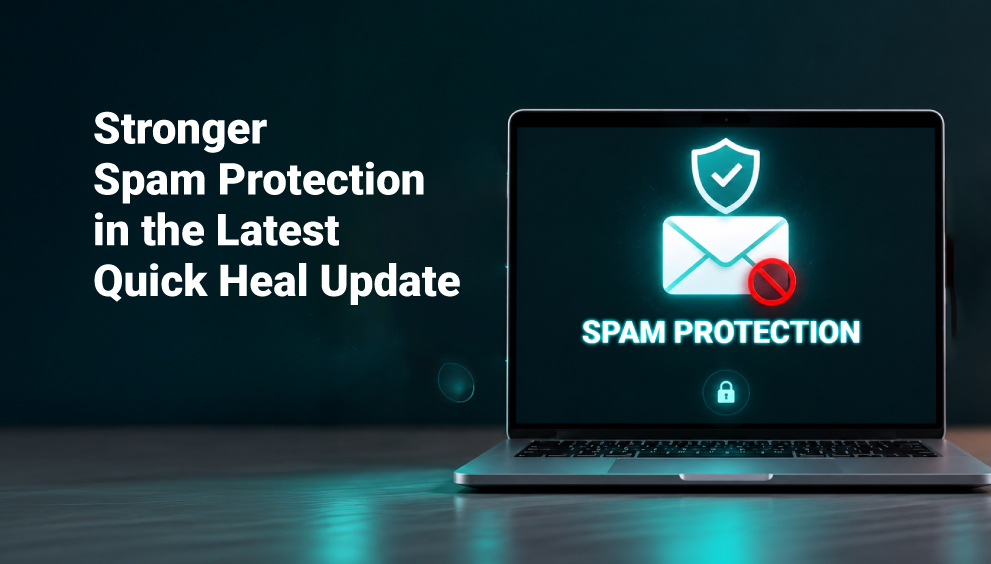
Modern spam can also be linked to phishing, malware and fraud. Quick Heal’s AntiFraud.AI is built to help protect users from phishing, deepfake attacks and spam emails using AI-driven fraud detection.
This does not replace careful behaviour, but it adds another layer of protection.
Manual checking is not enough because spam can arrive at any time and in large numbers. Some emails may also bypass basic filters. A user may accidentally click a link while checking emails quickly on a phone.
Modern spam can also be linked to phishing, malware and fraud. Quick Heal’s AntiFraud.AI is built to help protect users from phishing, deepfake attacks and spam emails using AI-driven fraud detection.
This does not replace careful behaviour, but it adds another layer of protection.
Actionable Steps to Stop Spam Email
If you want to reduce spam, start with safe inbox habits.
- Do not reply to spam emails.
- Do not click unsubscribe links in suspicious emails.
- Mark unwanted emails as spam or junk.
- Block repeated spam senders.
- Avoid opening unknown attachments.
- Check links before clicking.
- Do not share your email on unknown websites.
- Use separate emails for shopping, subscriptions and banking.
- Enable two-factor authentication on important accounts.
- Keep your browser, email app and security software updated.
Final Thoughts
Spam email is not just inbox clutter. It can be a route to phishing, malware, identity theft and financial fraud. That is why knowing what spam email is matters.
Whether you call it spam email, spam mail or junk mail, the rule is simple: verify before you click. If a message creates urgency, asks for sensitive details or comes from an unknown sender, treat it carefully.
Understanding what spam email is, knowing what is a junk folder and recognising what email spamming is in cyber security can help you protect your inbox and your personal data.
With safer email habits and trusted protection from Quick Heal, you can reduce spam risks and stay one step ahead of online threats.
Whether you call it spam email, spam mail or junk mail, the rule is simple: verify before you click. If a message creates urgency, asks for sensitive details or comes from an unknown sender, treat it carefully.
Understanding what spam email is, knowing what is a junk folder and recognising what email spamming is in cyber security can help you protect your inbox and your personal data.
With safer email habits and trusted protection from Quick Heal, you can reduce spam risks and stay one step ahead of online threats.
