29
Jun
Jun

How Secure Is My Phone? A Complete Safety Checklist
- QuickHeal / 3 months
- June 29, 2026
- 0

Table of Contents
- Understanding Phone Security
- Recent Mobile Security Trends Users Should Know
- Warning Signs Your Phone May Not Be Secure
- A Complete Phone Safety Checklist
- What to Do If Your Phone Feels Compromised
- How Quick Heal Helps Strengthen Mobile Safety
- Final Thoughts
Understanding Phone Security
If you have ever asked yourself, how secure is my phone?, the answer depends on more than your screen lock. Your phone stores banking apps, UPI access, emails, passwords, private chats, photos, documents and location data. That makes it one of the most valuable targets for cybercriminals.
Phone security means protecting your device, apps, accounts, network connections and personal data from misuse. A phone can become unsafe through fake apps, phishing links, malware, spyware, unsafe Wi-Fi, weak passwords or delayed updates.
So, when users ask how secure is my phone, they should check three things: what is installed, what has access and how the phone behaves. A secure phone is not only locked. It is updated, monitored and protected against threats that may run silently in the background.
Learning how to secure my phone is now an everyday safety habit, especially because mobile devices are used for payments, shopping, banking and identity verification.
Recent Mobile Security Trends Users Should Know
Mobile threats are changing quickly. In 2026, attackers are not only targeting computers. They are focusing heavily on smartphones because people use them for almost every personal and financial activity.
One major trend is the rise of malicious apps. Security researchers have reported Android banking trojan campaigns that hide after installation, remove visible icons and target banking, crypto and social media apps. Some use fake job portals, streaming sites or update screens to trick users into installing them.
Another trend is mobile financial malware. Zimperium’s 2026 Banking Heist Report tracked 34 active Android banking malware families in 2025, targeting over 1,200 financial institutions across 90 countries. The report also noted a rise in Android malware-driven financial transactions.
Fake apps are also becoming harder to detect. Some malicious apps have appeared in official app stores and used advanced hiding techniques. Reports have also noted cases where malware targets sensitive information from screenshots and photos, such as crypto wallet seed phrases.
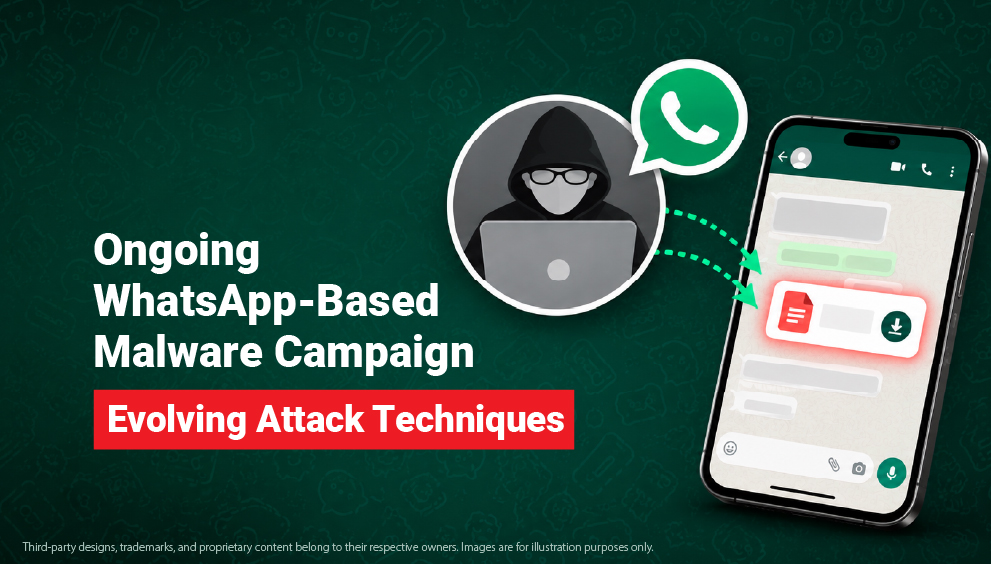
Messaging-based attacks are another concern. Smishing, WhatsApp scams, QR-code abuse and fake support calls are increasingly used to begin multi-stage fraud journeys.
These trends make one thing clear: asking how secure my phone is is not about fear. It is about checking whether your phone is ready for today’s threats.
Warning Signs Your Phone May Not Be Secure
A compromised phone may not always show one clear warning. However, repeated unusual behaviour should not be ignored.
You should ask how secure is my phone if you notice:
The battery is draining faster than usual.
Phone overheating without heavy use
Unknown apps appearing on the device
Apps crashing repeatedly
Pop-ups or browser redirects
Unusual mobile data usage
Security settings are changing automatically.
OTPs or login alerts you did not request
Camera, microphone or location activating unexpectedly
Banking or payment apps are behaving strangely.
One issue may have a normal explanation. But if several signs appear together, review your phone immediately.
A Complete Phone Safety Checklist
Use this checklist to understand how to secure your phone and reduce mobile security risks.
- Set a strong screen lock using PIN, password, fingerprint, or face unlock.
- Avoid simple PINs such as 0000, 1234 or birth years.
- Keep your phone’s operating system updated.
- Update apps only from official app stores.
- Delete apps you no longer use.
- Download apps only from trusted sources.
- Avoid APK files and app links sent on SMS or WhatsApp.
- Review app permissions for SMS, camera, microphone, location and contacts.
- Remove permissions that do not match the app’s purpose.
- Turn off “Install Unknown Apps” unless needed.
- Enable two-factor authentication for email, banking and social accounts.
- Use strong, unique passwords for important accounts.
- Avoid banking or shopping on public Wi-Fi.
- Turn off Bluetooth and hotspot when not in use.
- Back up important photos, files and contacts.
- Scan your phone for malware and unsafe apps.
- Turn on device tracking and anti-theft features.
- Block and report suspicious numbers.
- Do not click unknown links in SMS, WhatsApp or email.
- This checklist turns how secure my phone is from a question into a practical review.
What to Do If Your Phone Feels Compromised
If your phone is acting strangely, do not panic. Take structured steps instead.
- Disconnect from Wi-Fi or mobile data if you suspect active fraud.
- Do not enter passwords, OTPs or banking details on the device.
- Remove unknown or recently installed apps.
- Check app permissions and remove unnecessary access.
- Disable admin access for suspicious apps on Android.
- Change important passwords from another trusted device.
- Enable two-factor authentication on key accounts.
- Check bank and UPI apps for unusual transactions.
- Contact your bank immediately if your money is affected.
- Run a full scan using trusted mobile security software.
- Update your phone and all apps after the scan.
- Back up important data if the device is clean.
- Reset the phone only after saving essential data safely.
If you are still unsure how secure my phone is, get the device checked by a trusted technician or use reliable mobile protection before continuing financial activity.
How Quick Heal Helps Strengthen Mobile Safety
Manual checks are important, but some threats hide inside apps, links, files or background activity. Quick Heal helps users add a stronger layer of protection against viruses, malware, harmful apps, phishing attempts and mobile banking threats.
Quick Heal Mobile Security supports Android smartphone protection with scan options for apps, files and folders. Quick Heal AntiFraud.AI helps users stay alert against phishing, spam, suspicious digital behaviour and evolving scam tactics.
Users can also explore Quick Heal Total Security, Quick Heal Mobile Security and Quick Heal home user security solutions for broader protection across devices, browsing, downloads and mobile activity.
Final Thoughts
Asking how secure my phone is should not happen only after something goes wrong. Your phone security changes every time you install an app, click a link, join a network or delay an update.
The safest approach is simple: update regularly, download carefully, review permissions and protect financial activity. Learning how to secure your phone helps you reduce risks before they turn into fraud, data theft or account compromise.
A secure phone is not built with one setting. It is built through consistent habits, practical checks and trusted protection.