QR code scam is a type
QR codes have become increasingly popular for their convenience and versatility, allowing users to quickly access websites, make payments, or download information with a simple scan. However, this technology has also caught the attention of cybercriminals who exploit QR codes to carry out various scams. As a result, it’s crucial to be aware of the risks associated with QR code scams and know how to protect yourself from falling victim to these schemes.
In this blog, we’ll explore the world of QR code fraud, explaining what QR code scams are, how to identify malicious QR codes, and what steps you should take if you encounter a scammer QR code.
What is a QR Code Scam?
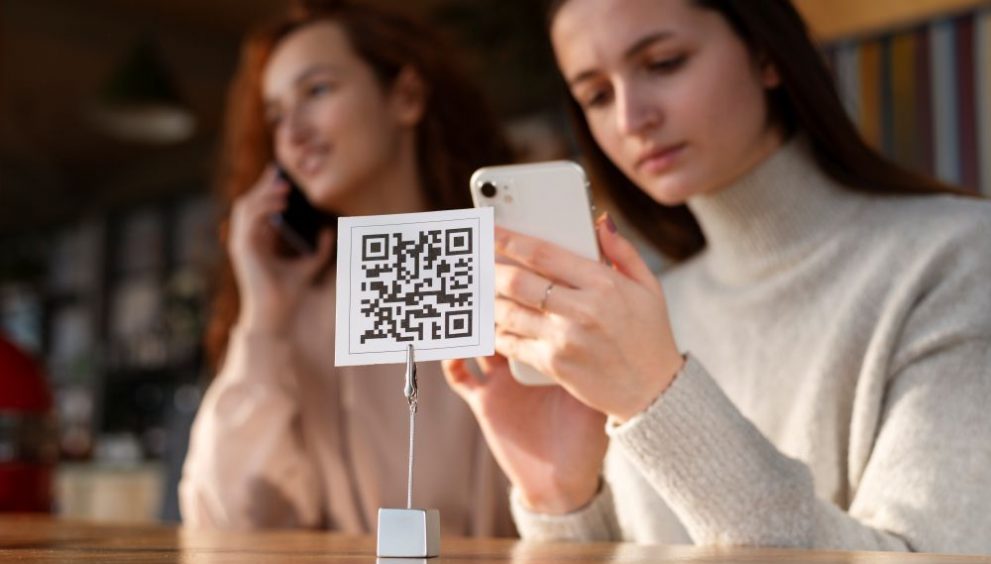
A QR code scam is a type of cybercrime that involves the use of malicious QR codes to deceive individuals into revealing sensitive information or making fake QR code payments. Scammers create these codes to direct users to fraudulent websites that mimic legitimate ones, tricking them into entering personal details, login credentials, or financial information. Once the scammer has obtained this data, they can use it for identity theft, unauthorized transactions, or other nefarious purposes.
A qr code scam can be used to steal login credentials, card details, UPI information or personal data. In some cases, the code may also lead to malware or redirect a payment to a fraudster’s account.
These scams can appear in emails, SMS messages, social media posts, invoices, posters and even on genuine payment stickers that have been replaced with fraudulent ones.
Example: A scammer may place a fake QR code over a restaurant’s payment code. You scan it expecting to pay the restaurant, but the transaction is redirected to the scammer’s account.
The key risk is that scanning a QR code can feel harmless. Unlike a normal link, the destination is not visible before you scan it, which makes qr code fraud harder to spot at first glance.
Common Scams Involving QR Codes
There are several types of scams that involve the use of malicious QR codes:
- Phishing Scams: Scammers send emails or text messages containing QR codes that lead to fake websites designed to steal login credentials or personal information.
- Malware Distribution: QR codes can be used to direct users to websites that automatically download malware onto their devices.
- Fake Payment Scams: Fraudulent QR codes may be placed on fake parking meters, vending machines, or donation boxes, tricking people into making fake QR code payments to scammers.
- Cryptocurrency Scams: Some QR code scams involve promising high returns on cryptocurrency investments, but instead steal the victim’s funds.
How to Identify Malicious QR Codes
To protect yourself from falling victim to a QR code scam, it’s essential to know how to spot potentially malicious QR codes:
Look for Unusual or Unfamiliar QR Code Sources
Be cautious of QR codes found in unexpected places or from unfamiliar sources. Scammer QR codes may be placed on flyers, posters, or stickers in public places to trick people into scanning them. If you see a QR code from an unknown source, it’s best to avoid scanning it altogether.
Avoid Scanning QR Codes from Unknown Contacts
If you receive an unsolicited email or text message containing a QR code, be wary of scanning it, as this could be a phishing attempt. Bar code fraud often involves scammers sending malicious QR codes to unsuspecting victims via email or SMS.
Check the URL Before Making Payments
Before making any payments or entering sensitive information after scanning a QR code, double-check the URL to ensure it belongs to a legitimate website. Barcode scams often involve directing users to fake websites with similar URLs to trick them into revealing personal data or making fraudulent payments.
Be Careful of QR Codes That Redirect to Download Links
If scanning a QR code automatically initiates a download or prompts you to install an app, this could be a sign of a scam using QR code. Malicious QR codes may be used to distribute malware or spyware onto your device without your knowledge.
Check for Signs of Physical Tampering
Before scanning a QR code in a public place, check whether the sticker appears damaged, layered or loosely attached. Fraudsters may paste a fake QR code over a genuine one to redirect payments or collect information.
Verify the Action You Are Being Asked to Take
Think about why you are being asked to scan the QR code in the first place. If it suddenly asks you to make a payment, share personal information or verify an account when you were not expecting it, stop and confirm the request independently.
Review the Payment Amount Before Confirming
After scanning a QR code for a payment, check the amount and recipient details shown in your banking or payment app. A mismatched amount or unfamiliar recipient can be an indication of QR code fraud.
Be Cautious with QR Codes in Unexpected Documents
QR codes embedded in invoices, forms, delivery notices or PDF documents can also be used in scams. Verify the document and sender before scanning, especially when the QR code is linked to a payment or account verification request.
Verify Refund and Receive-Money Requests
Be careful if someone asks you to scan a QR code to receive a refund, cashback or payment. Genuine QR payments generally require you to authorise a payment, so unexpected requests to scan a code should be verified first.
Scan Securely with Quick Heal
As QR codes continue to gain popularity, it’s crucial to remain vigilant against the growing threat of QR code scams. By understanding how these scams work, learning to identify malicious QR codes, and taking proactive steps to protect yourself, you can safely enjoy the convenience of this technology without falling victim to QR code fraud.
Remember to only scan QR codes from trusted sources, check URLs before entering sensitive information, and keep your devices secure with up-to-date software and strong authentication measures. If you do encounter a scammer QR code, act quickly to mitigate any potential damage and report the incident to help prevent others from falling prey to similar scams.
Check Out Our Full Antivirus Range